

Some customers who purchased UGODE Android screens for Mercedes-Benz, BMW, and Audi vehicles, featuring wireless CarPlay and Android Auto functionality, discovered that the Android screens could not read USB drives.
1. Check if the USB cable is plugged in properly.
2. Format the USB drive to FAT32.
3. Enter Android Factory Mode and select the “USB HOST” option.
Route:Settings-Factory(Password: 2018)-Function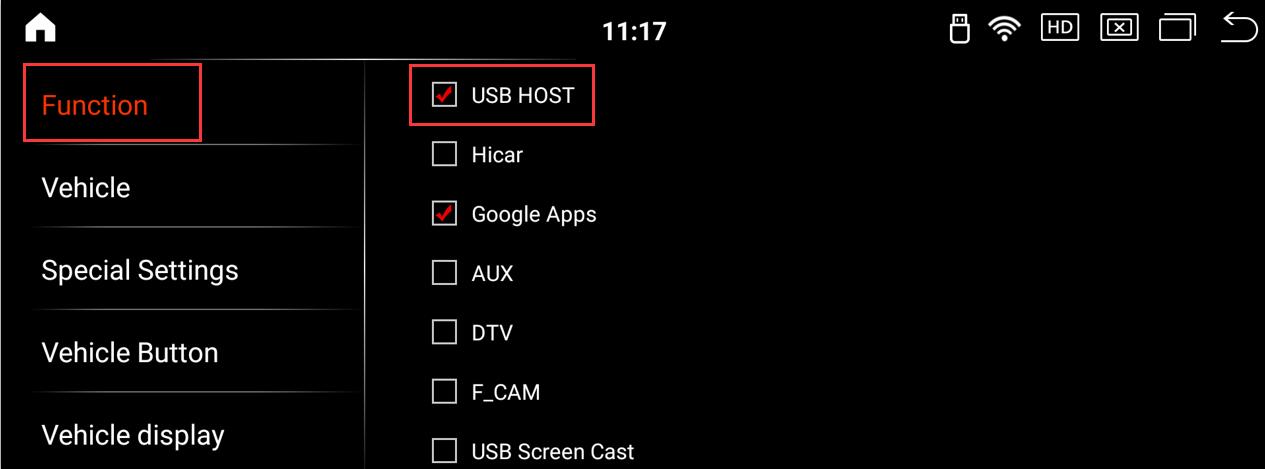
Post time: Dec-10-2025