

Some customers who purchased UGODE Android screens for Mercedes-Benz, BMW, and Audi—which feature wireless CarPlay and Android Auto—contacted us to ask why tapping the screen while using the vehicle’s original system does not switch to the Android system.
On the stock system, you can tap and hold any area of the screen for 3 seconds to switch to the Android system.
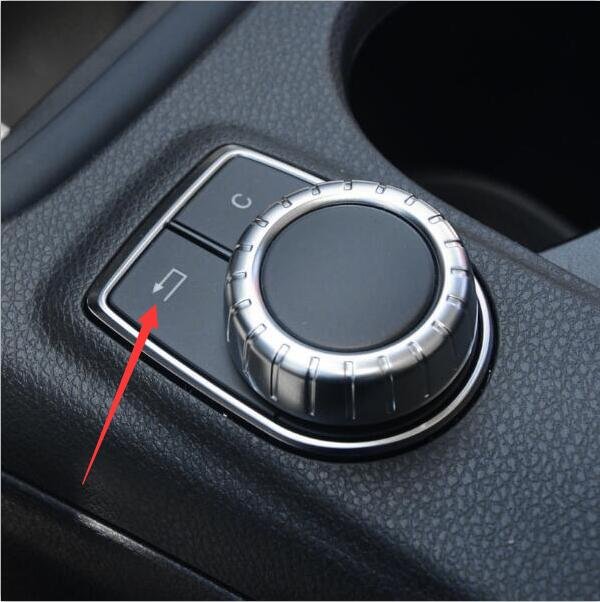
For Mercedes-Benz vehicles, you can also switch to the Android system by pressing and holding the “Back” button next to the rotary knob for 3 seconds.
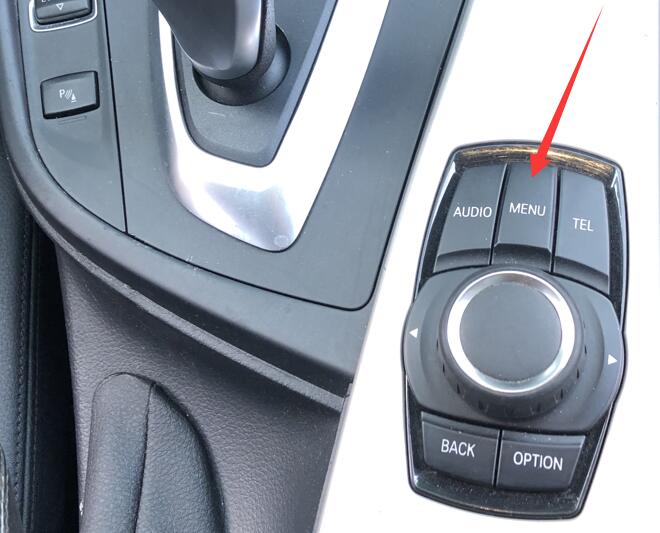
For BMW vehicles, you can also switch to the Android system by pressing and holding the “MENU” button next to the iDrive for 3 seconds.
For Audi vehicles, you can also switch to the Android system by pressing and holding the “RETURN” button for 3 seconds.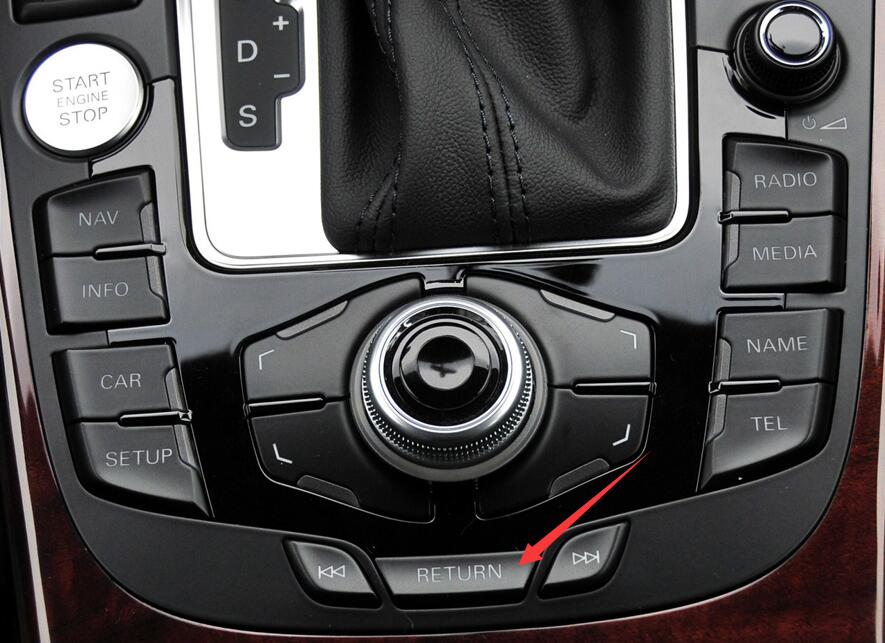
Once you return to the Android system, enter Android factory mode and uncheck “The original car host supports touch”
Routes:Settings-Factory(Password:2018 or 1314)-Function
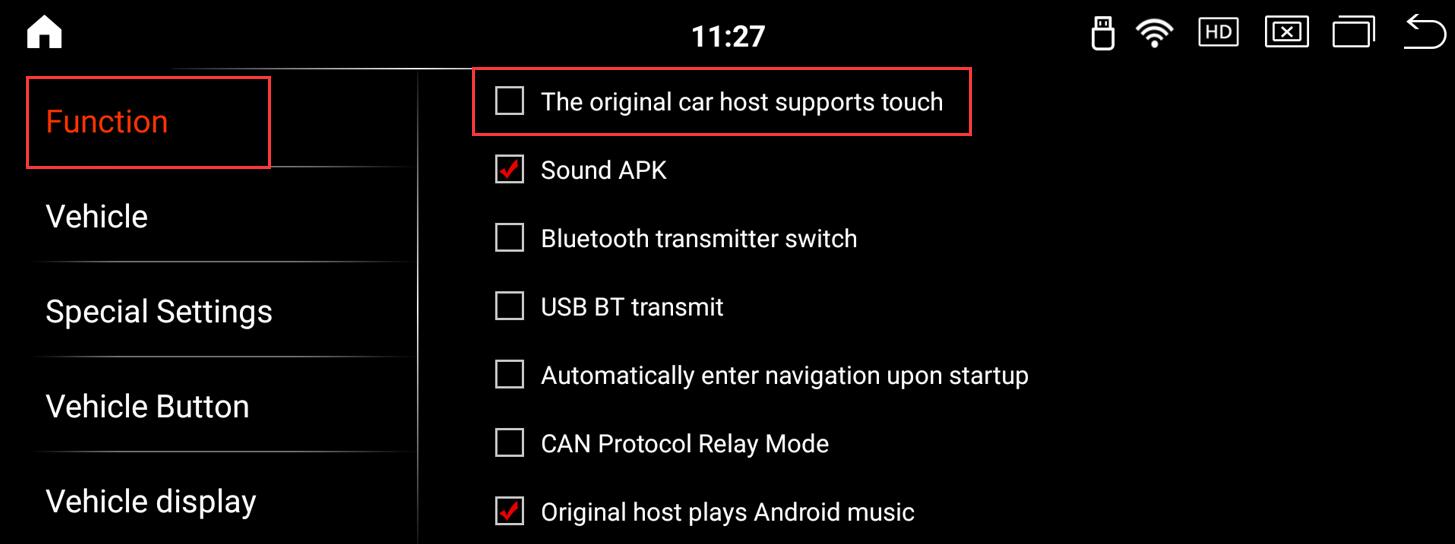
Note: Because the original car screen of the Mercedes-Benz NTG6.0 system has a touch function, this item needs to be selected only if the Android screen of KOASON Mercedes-Benz NTG6.0 is installed. This item does not need to be selected for Android screens of other systems.
Post time: Aug-26-2026