

Some customers purchased the UGODE Mercedes-Benz/BMW Android screen with wireless CARPLAY and Android AUTO functionality, only to find that the original control knob no longer works after installation.
1.If your car has optic fiber(Ignore if no optic fiber), need to relocate it to android harnes. Click for details
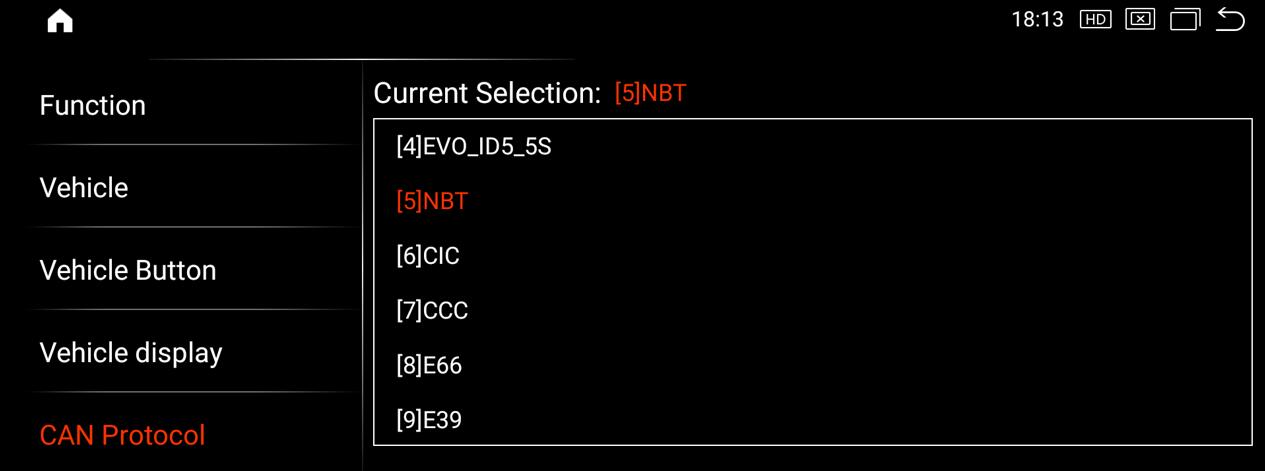
2. Enter Android Factory Mode and verify that the CAN protocol selection is correct.
2.1.BMW Android screen:
For vehicles with the CCC system, select: CCC
For vehicles with the CIC system, select: CIC
For vehicles with the NBT system, select: NBT
For vehicles with the EVO system, select: 1/2/3/4, trying each one until it works properly.
Route:Settings-Factory(Password: 2018)-CAN Protocol
Note: The UI differs between Mercedes-Benz and BMW, but the route is the same.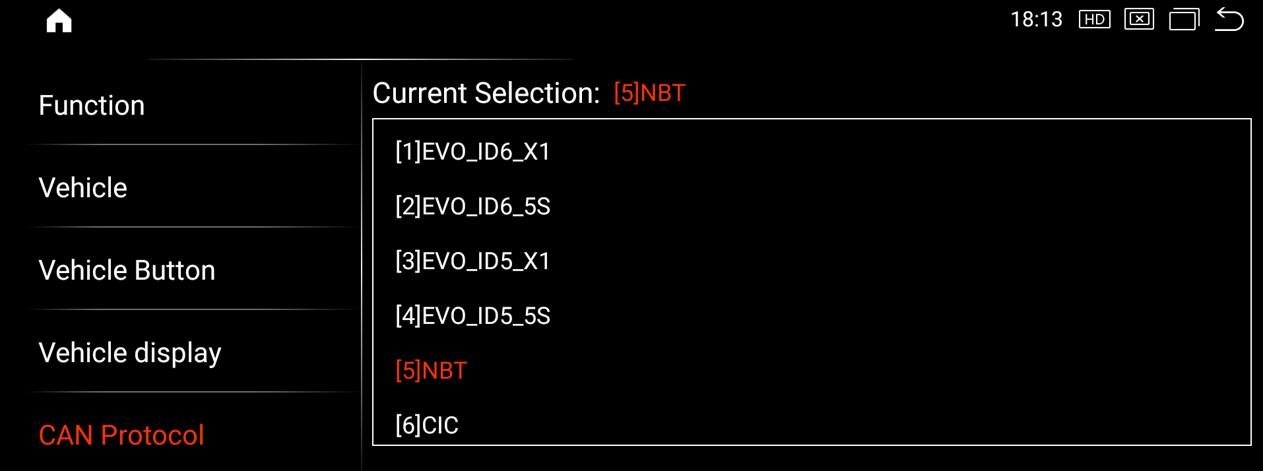
2.2.Mercedes-Benz Android screen:
For vehicles with the NTG 3.0 system, select: 3.0
For vehicles with the NTG 3.5 system, select: 3.5
For vehicles with the NTG 4.0 system, select: 4.0
For vehicles with the NTG 4.5 system, select: 4.5
For vehicles with the NTG 5.5/6.0 system, select: 5.5
2015-2018 Mercedes-Benz C-Class, GLC, V-Class, X-Class select 0 item: 5.0
2015-2018 Mercedes-Benz A-Class, CLA, GLA, G-Class, E-Class, CLS, B-Class, SLK, GLE, GLS choose 1 item: 5.1 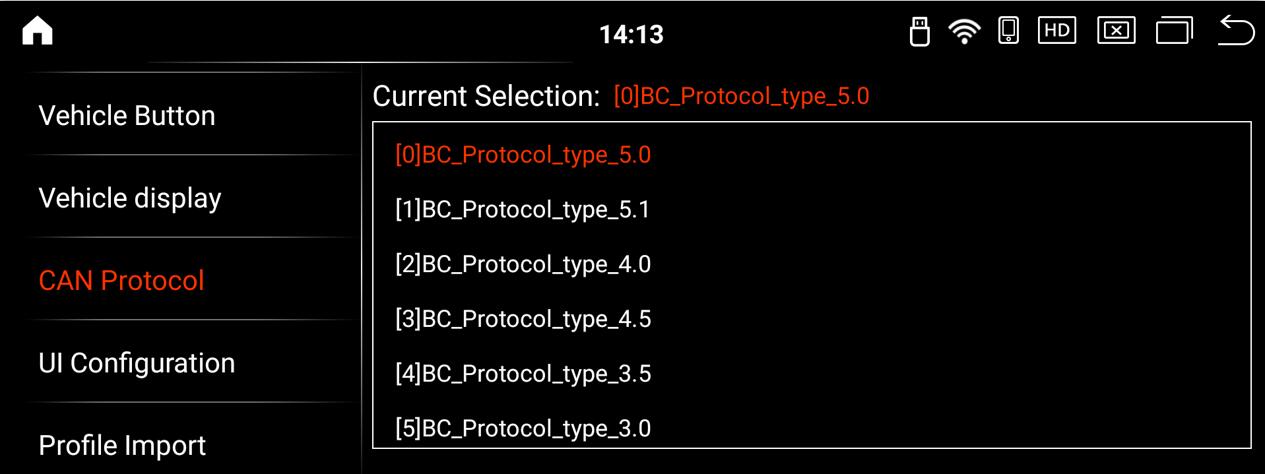
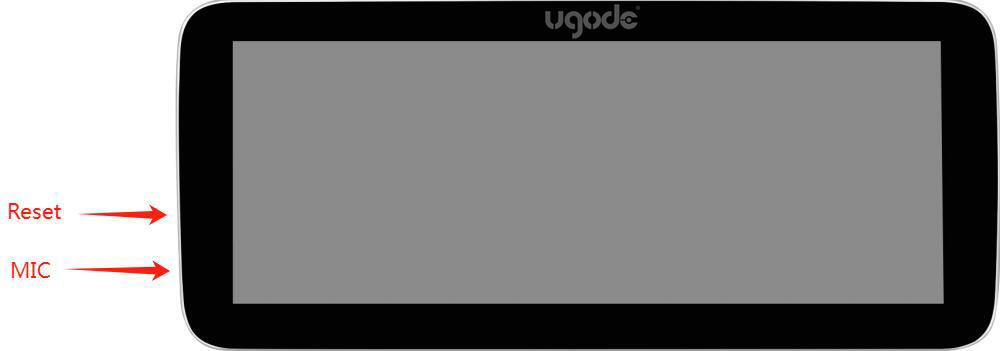
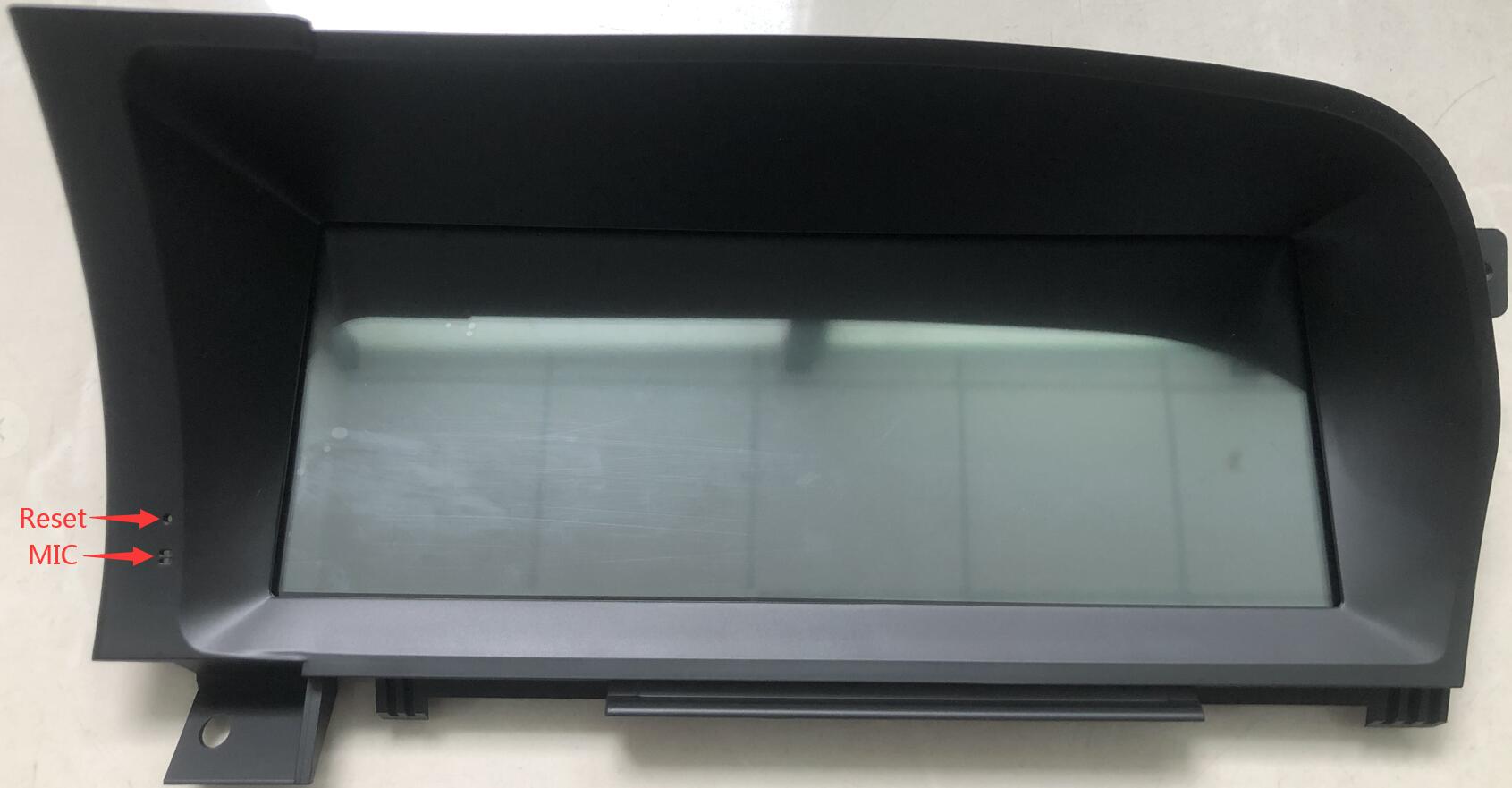
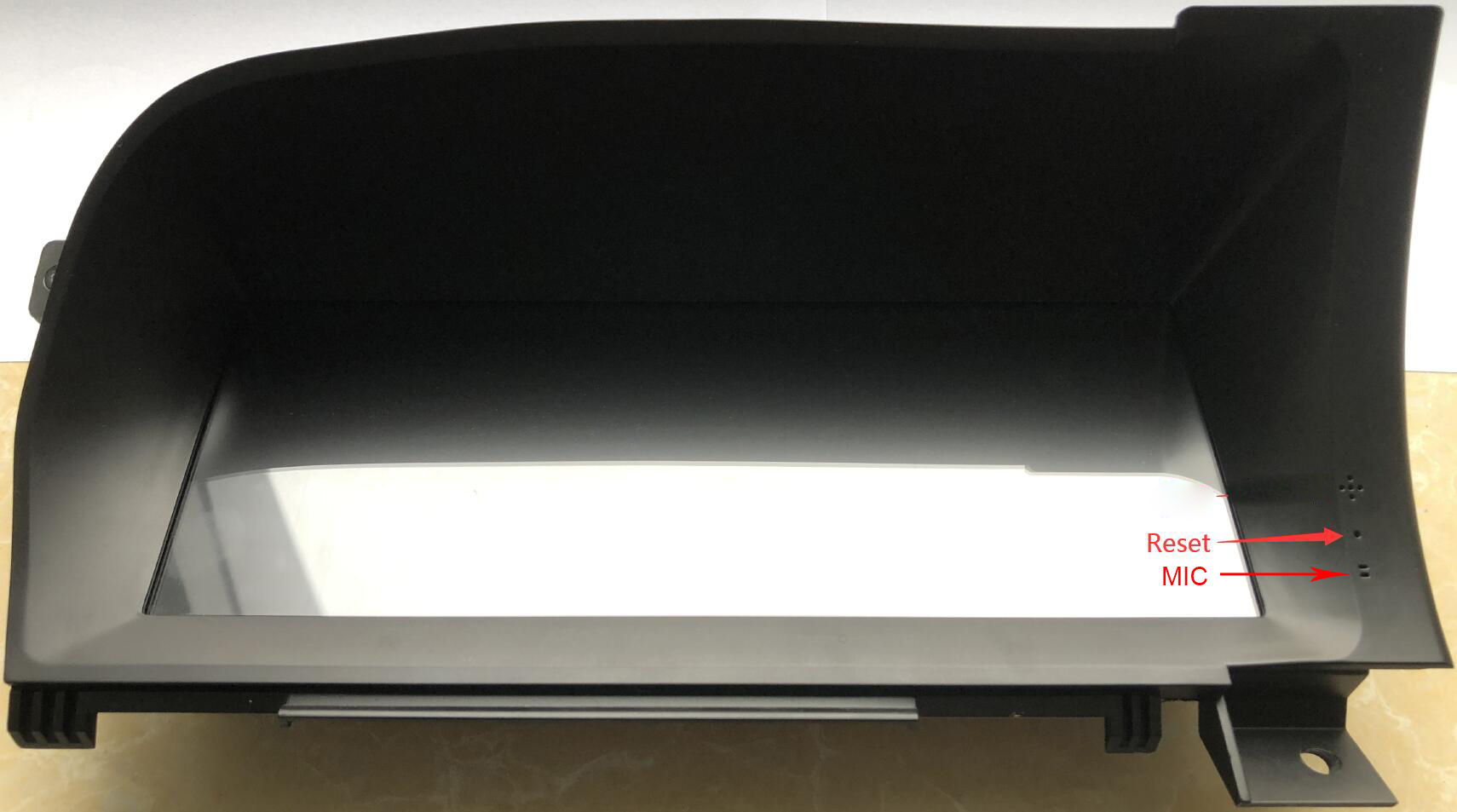
After selecting the CAN protocol for the Mercedes-Benz Android screen, you need to press the reset button on the side of the screen to restart.
Universal Screen Reset Button for Mercedes-Benz:
Mercedes-Benz S-Class Left-Hand Drive:
Mercedes-Benz S-Class Right-Hand Drive:
NOTE:
For Mercedes with NTG4.0/4.5/4.7 system cars, please make sure that the small white connector on the Android power supply is connected correctly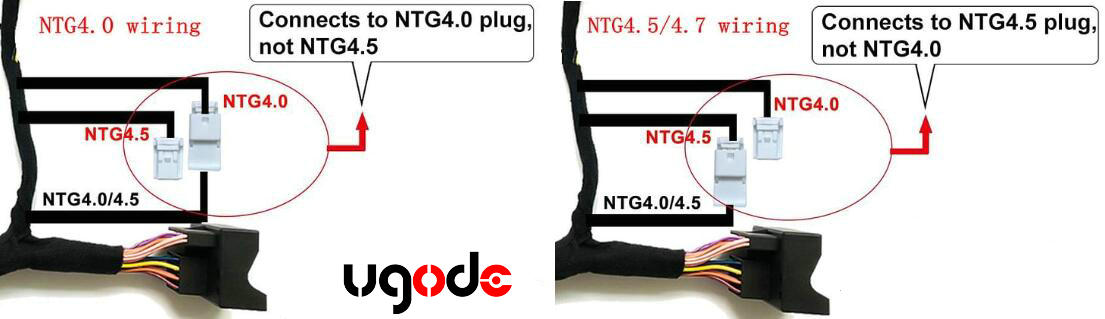
Post time: Dec-09-2025