

Some customers have purchased UGODE’s Mercedes-Benz, BMW, and Audi Android displays featuring wireless CarPlay and Android Auto functionality. During use, they encounter a requirement to enter a password upon screen startup to log in. However, customers are unaware of this password and thus cannot access the Android system.
1. If the screen prompts for PIN code login, it may be that the SIM card is set to PIN code login. Simply insert the SIM card into the phone, set the phone to disable PIN code login, and then insert the SIM card back into the Android screen.
2. During use, customers may have installed certain key-protected applications that prompt for a password when the Android screen boots up. In such cases, a factory reset is required to resolve the issue.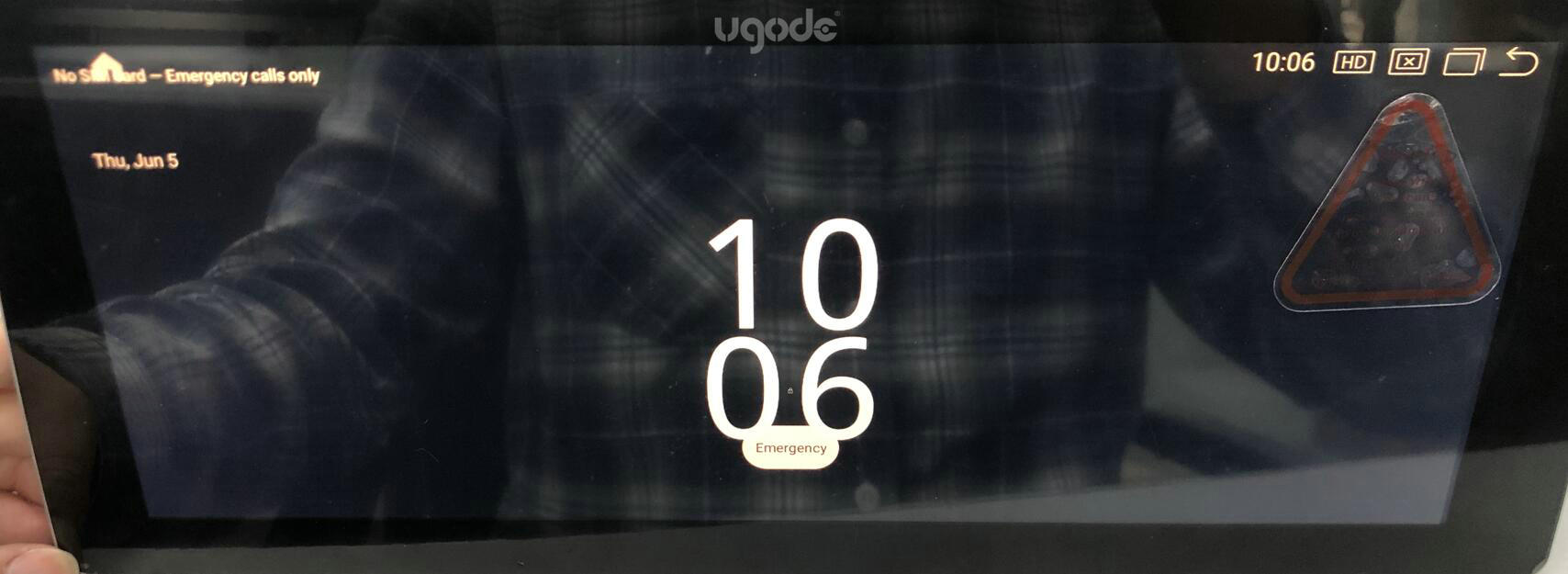
3.How to Force Factory Reset an Android Screen:
3.1.Prepare a 4GB-32GB USB flash drive and format it to FAT32.
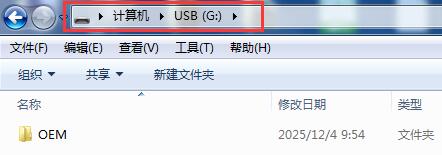
3.2. Create a new folder in the root directory of the USB drive and name it: OEM
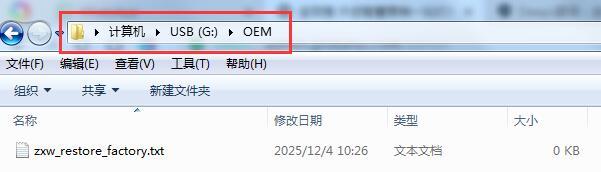
3.3. Next, create a new TXT document in the OEM folder and name it: zxw_restore_factory.txt
3.4. Insert the USB flash drive into the USB cable of the Android screen, start the engine, and the screen will automatically enter the factory reset mode. After the reset is complete, the screen will restart. Then, unplug the USB flash drive.
Post time: Dec-04-2025