

Some customers who purchased UGODE Mercedes-Benz, BMW, and Audi Android screens with wireless CarPlay and Android Auto functions are unsure how to connect the cables when installing the front-view camera.
The settings for the UGODE Android screen with built-in 360-degree panorama functionality differ from those without it.
The following are the cable connection and setup instructions for the front-view camera on an Android screen without built-in 360° panoramic functionality:
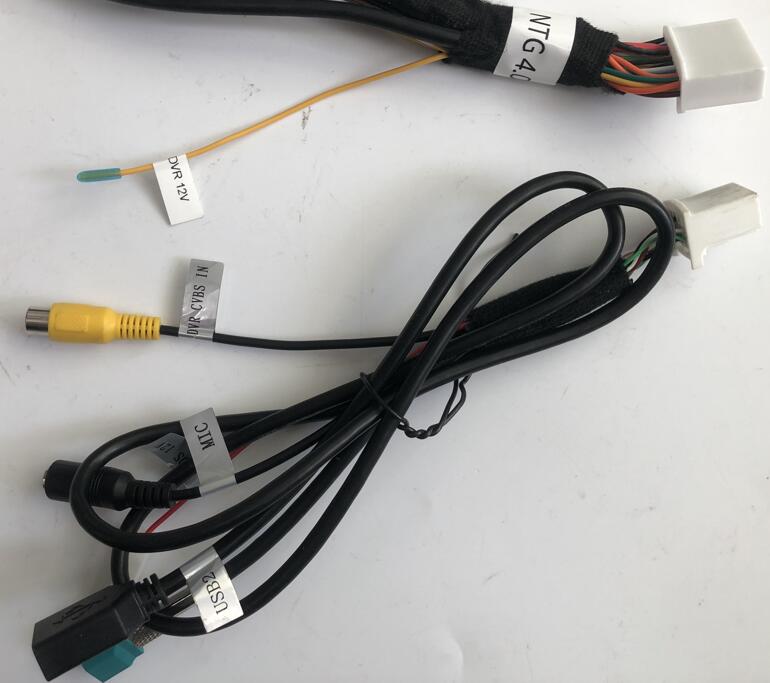
1.For Mercedes-Benz and Audi Android screens, connect the front-view camera video signal to “DVR CVBS IN” and the front-view camera power supply to “DVR 12V”.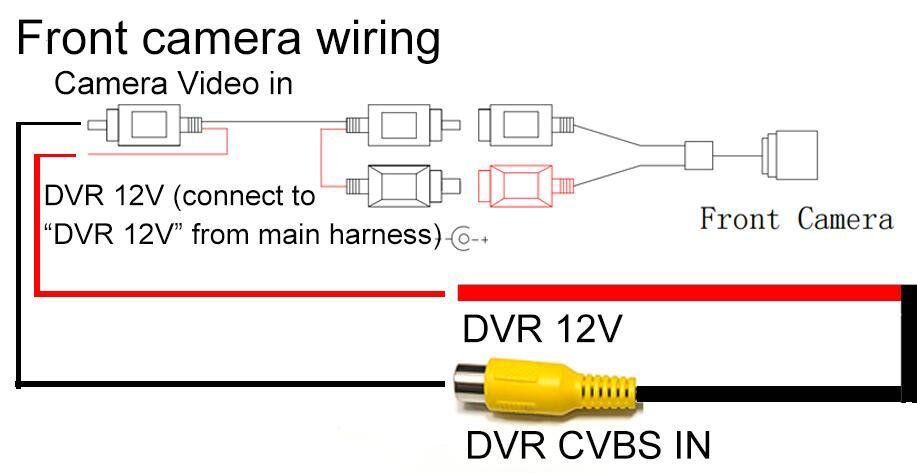
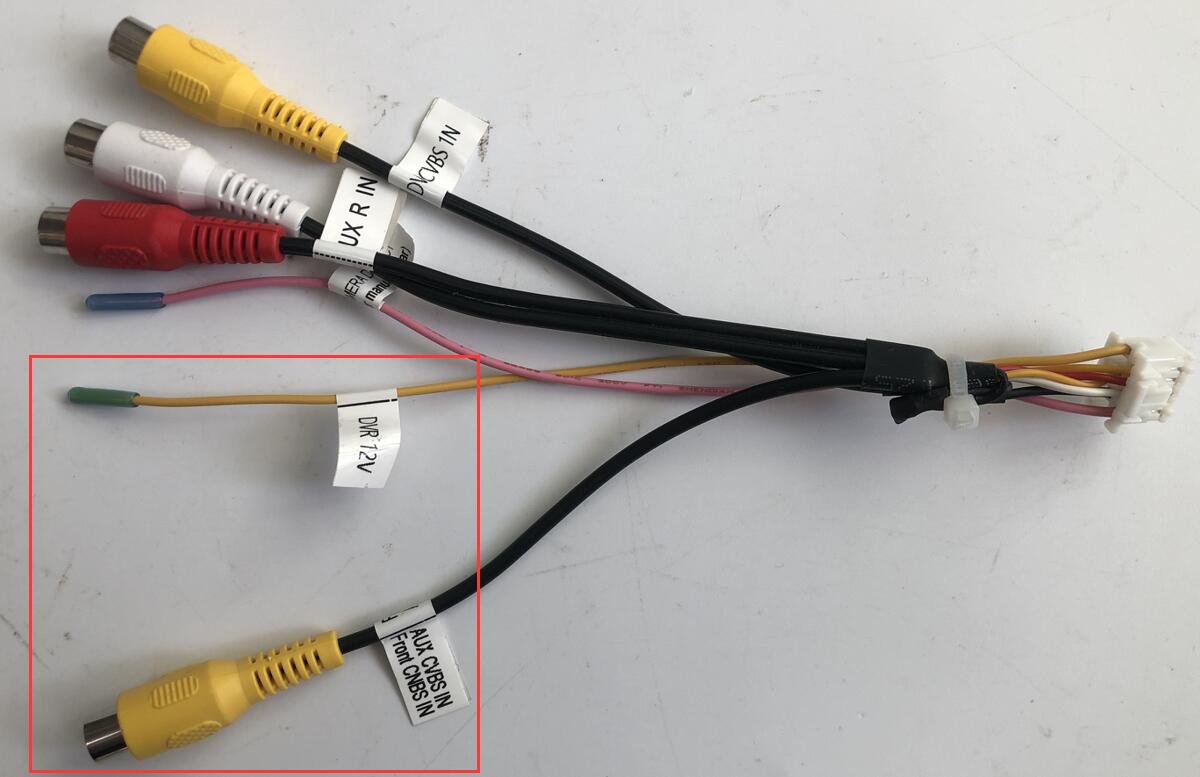
2.For BMW Android screens, connect the front-view camera video signal to “Front CVBS IN” and the front-view camera power supply to “DVR 12V”.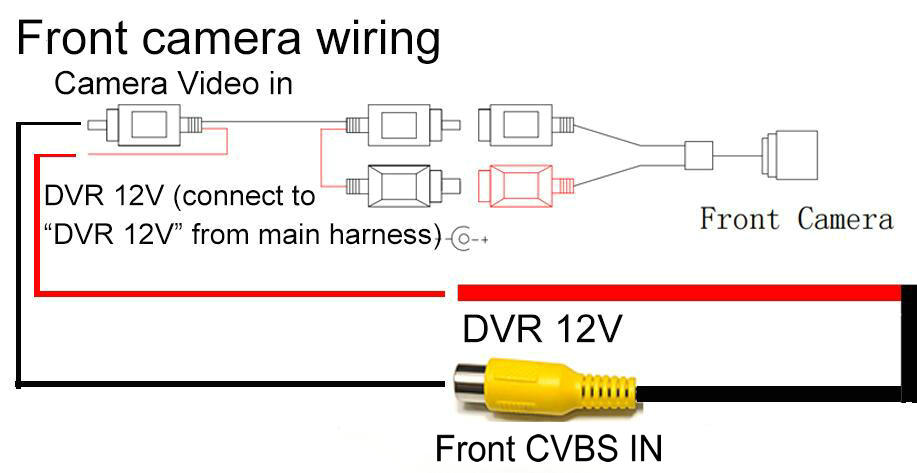
3.Enter Android factory mode and turn on the “F_CAM” option.
Route:Settings-Factory(Password: 2018)-Function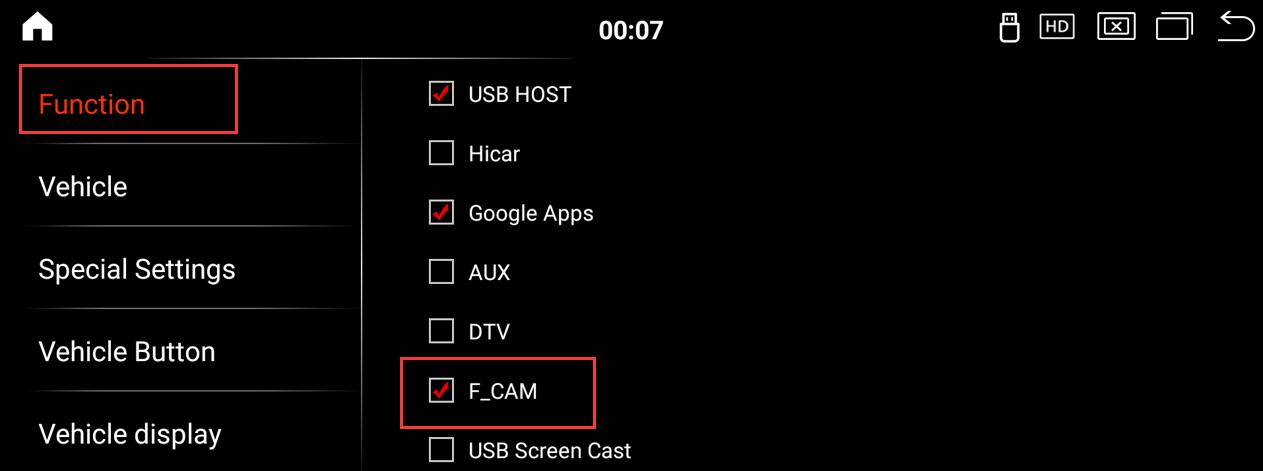
After turning on the forward view function, it will automatically enter the forward view screen every time you finish reversing. It will exit the forward view screen when the vehicle speed reaches 25 km/h. You can also click the “back” button in the upper right corner of the screen to exit the forward view screen.
For Android screens with built-in 360-degree panorama functionality, follow these steps to set it up:
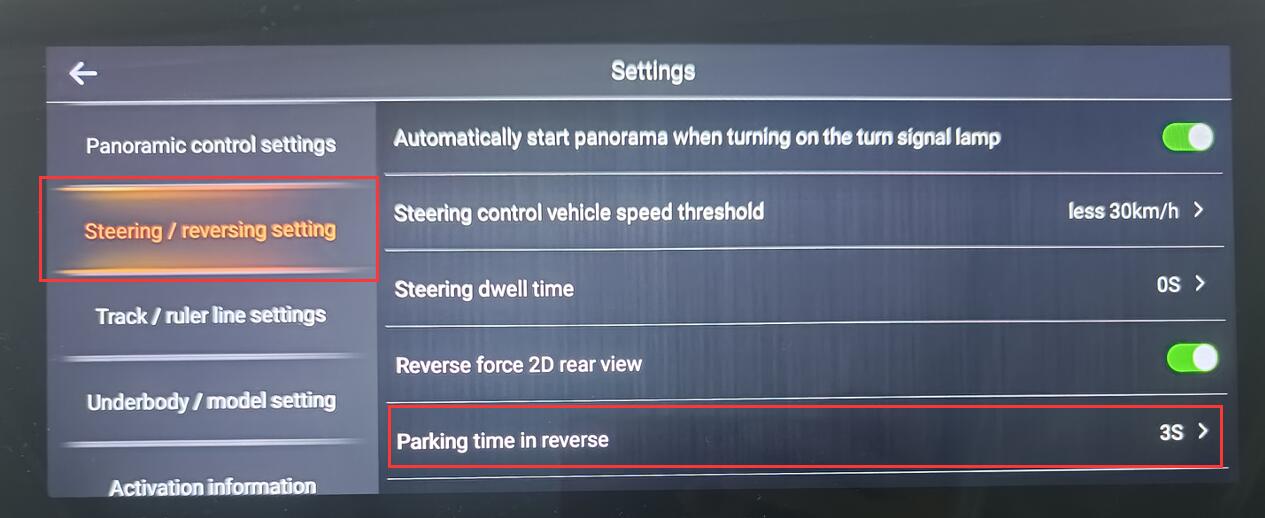
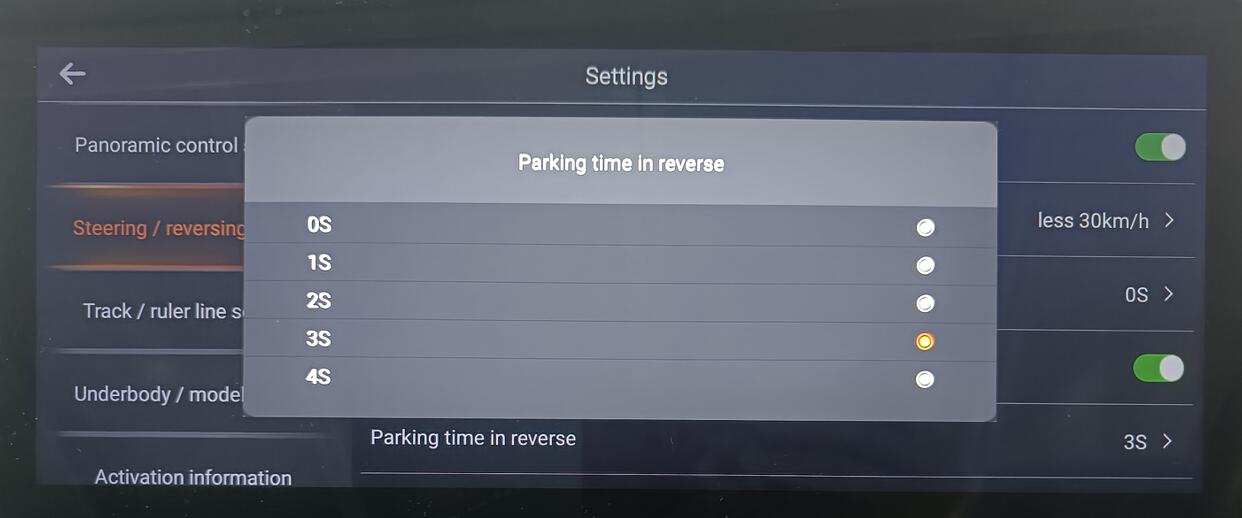
Go to the 360-degree panorama settings and select the duration of the front view.
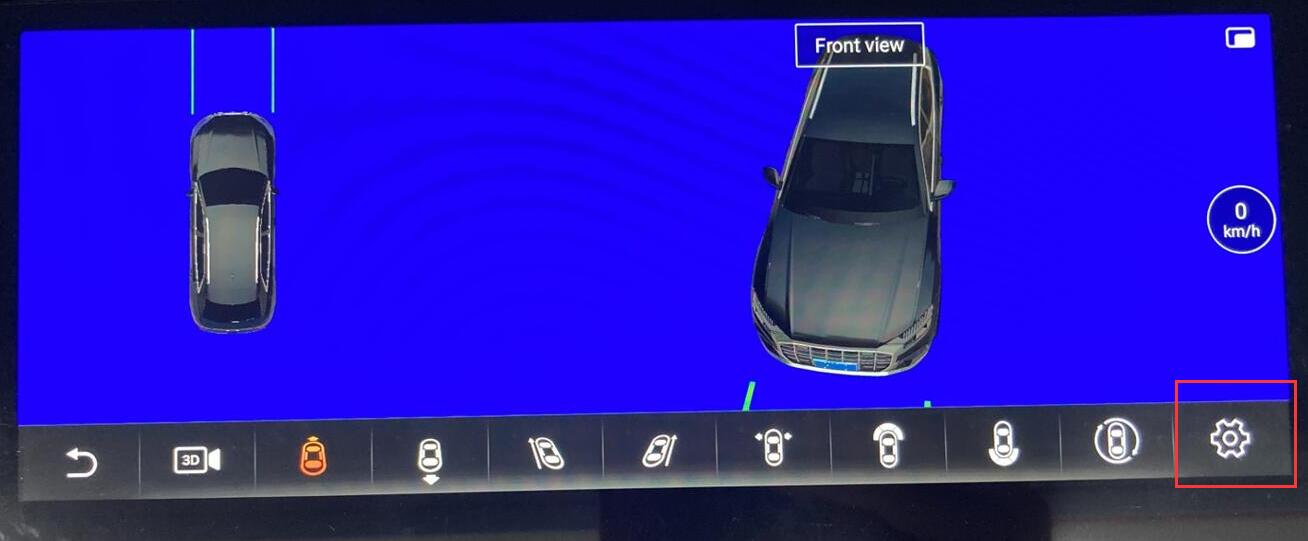
Route:Apps – 360 panorama – settings – steering/reversing setting – Parking time in reverse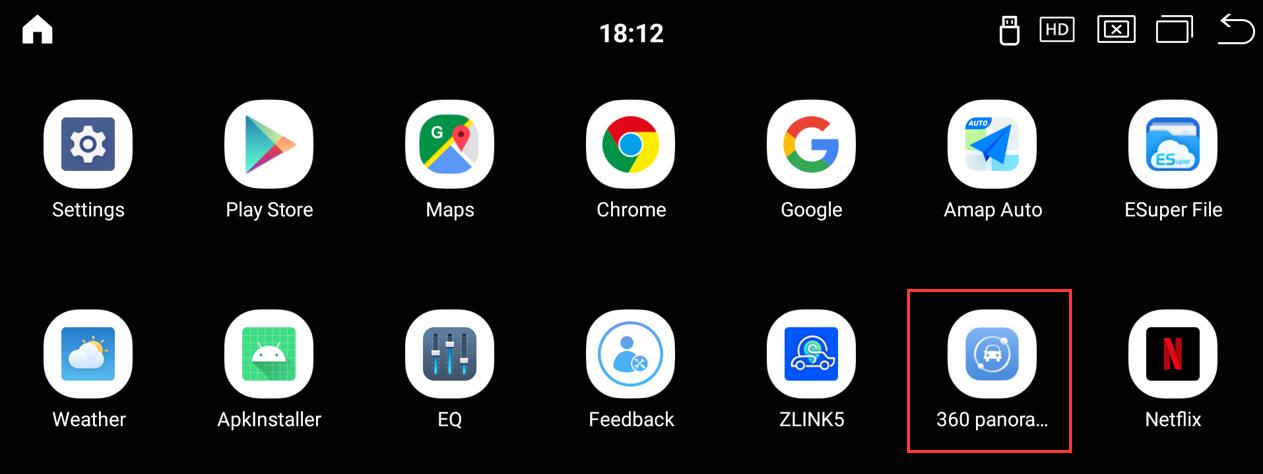
Post time: Dec-08-2025