

Cloud SIM Card Features Overview:
The Cloud SIM Card (UCL) is a “cloud-based virtual SIM card” that uses an algorithm to coordinate resources across different carriers. Even if you’re roaming from North America to Europe, you can enjoy global roaming services without having to change physical SIM cards.
How to use:
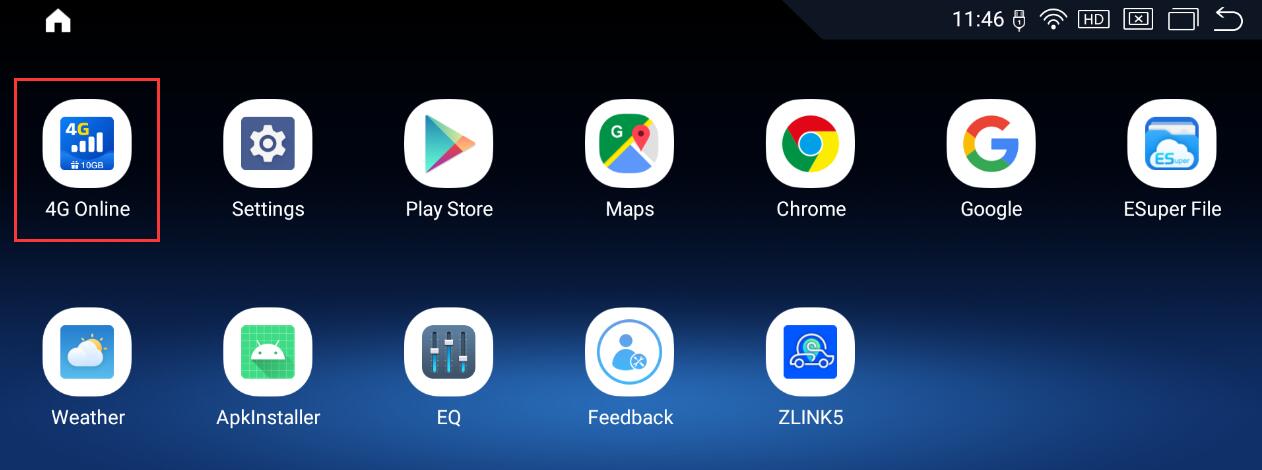
1.On the Android home screen, tap APPS, then tap “Cloud SIM” or “4G Online”.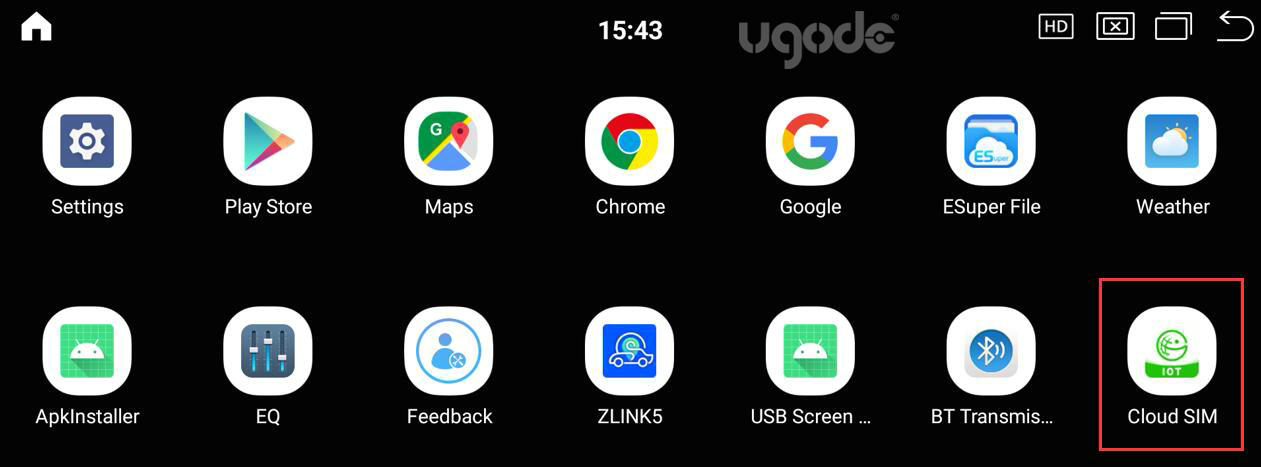
2.In Settings, select “Built-in SIM Preferred.”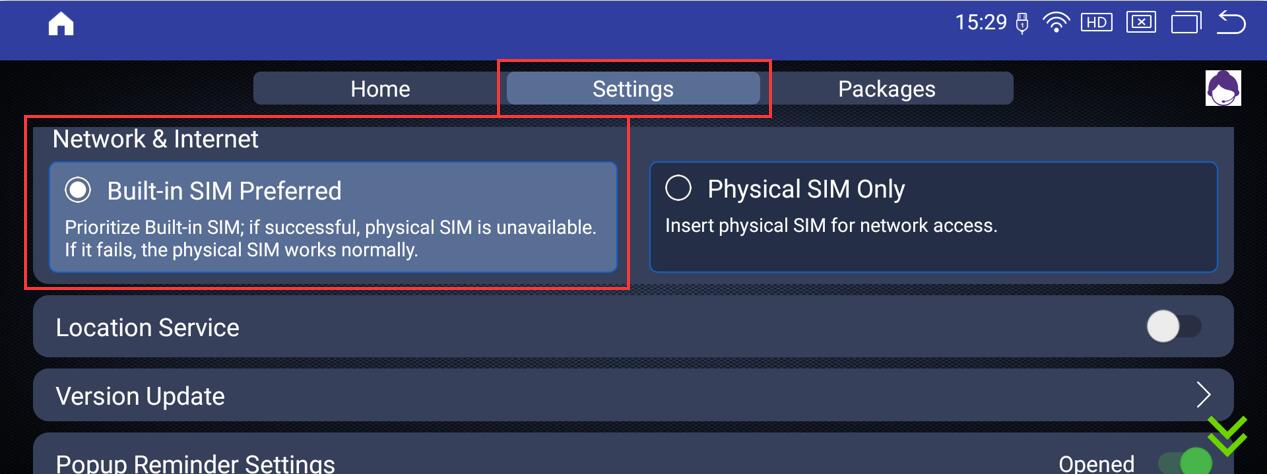
3.Return to the home page, where you’ll see that the network is booting up. Once it’s finished booting, you’re all set.
Initial data allowance is limited; once it’s used up, users must pay for additional data themselves.
There is a QR code on the right side of the homepage. Scan it with your phone to download and install the app, then register. You can only make a payment after completing registration.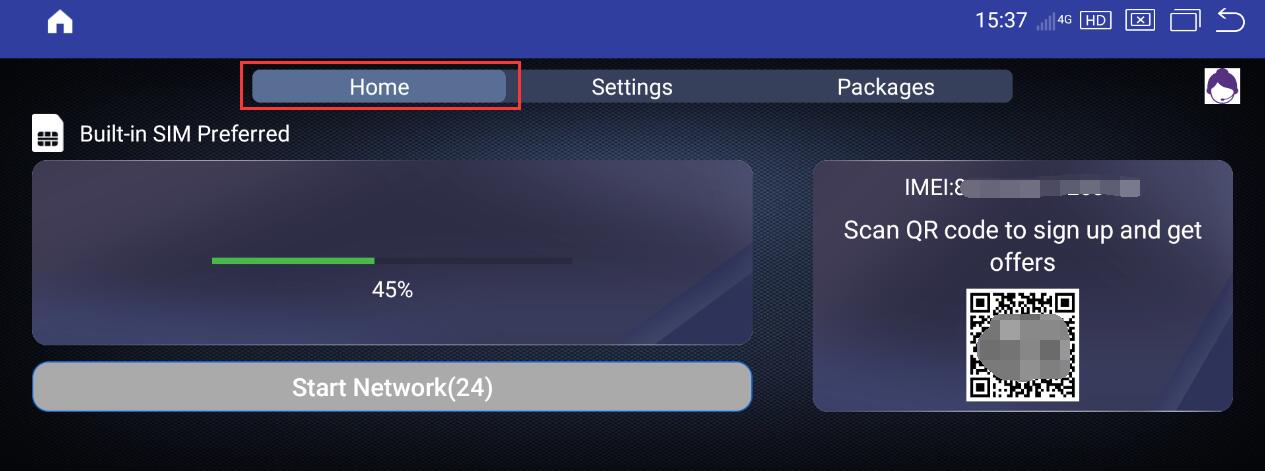
4.On the Packages page, you can scan the QR code with your phone to see which plans are available in your area. 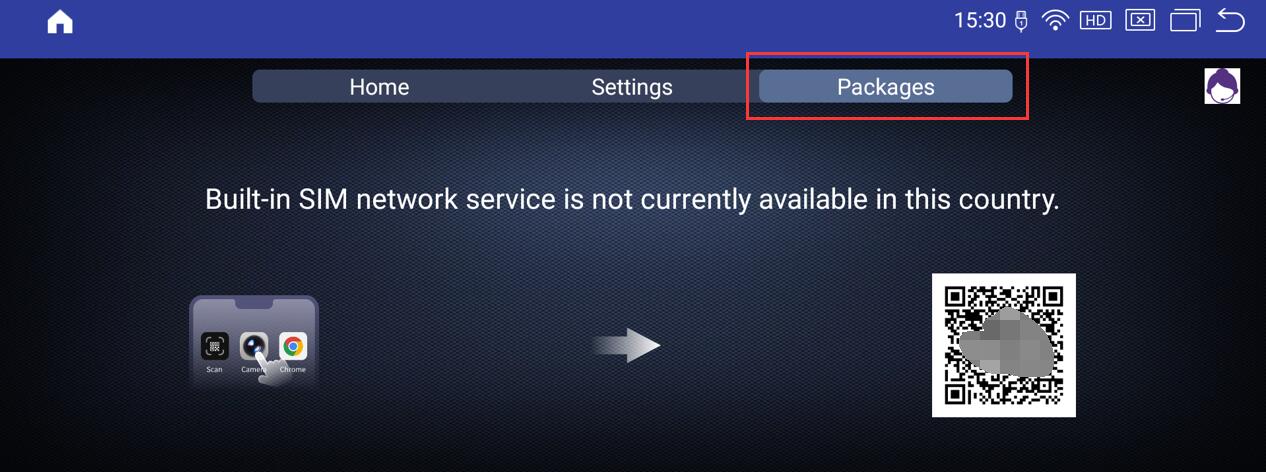
Note: Physical SIM cards cannot be topped up here.
5.If the cloud SIM card cannot be activated, or if you want to use a physical SIM card to connect to the network, please manually select “Physical SIM Only” in the Settings menu.
To use a physical SIM card, you must insert a Micro-SIM card into the Android device. 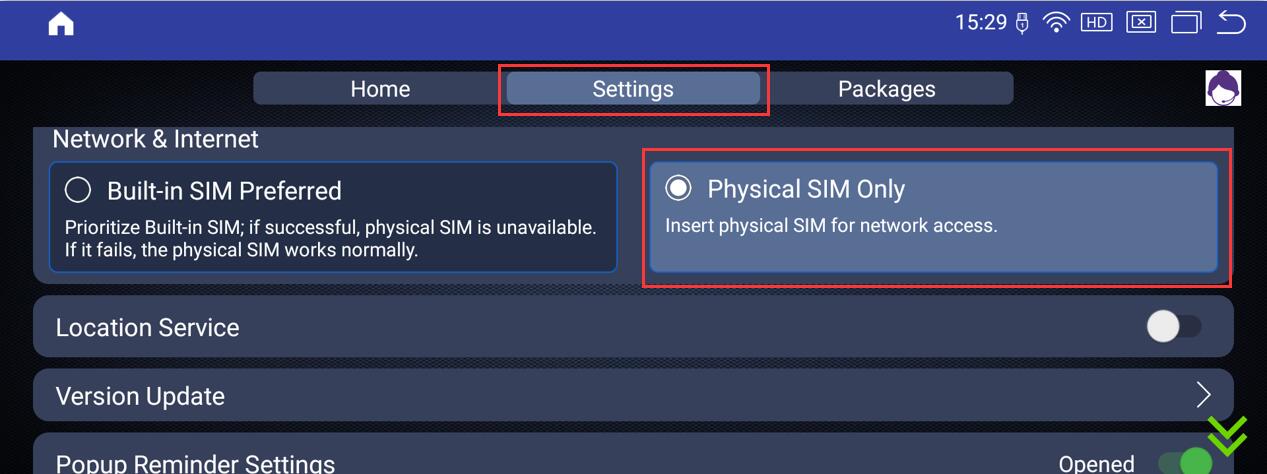
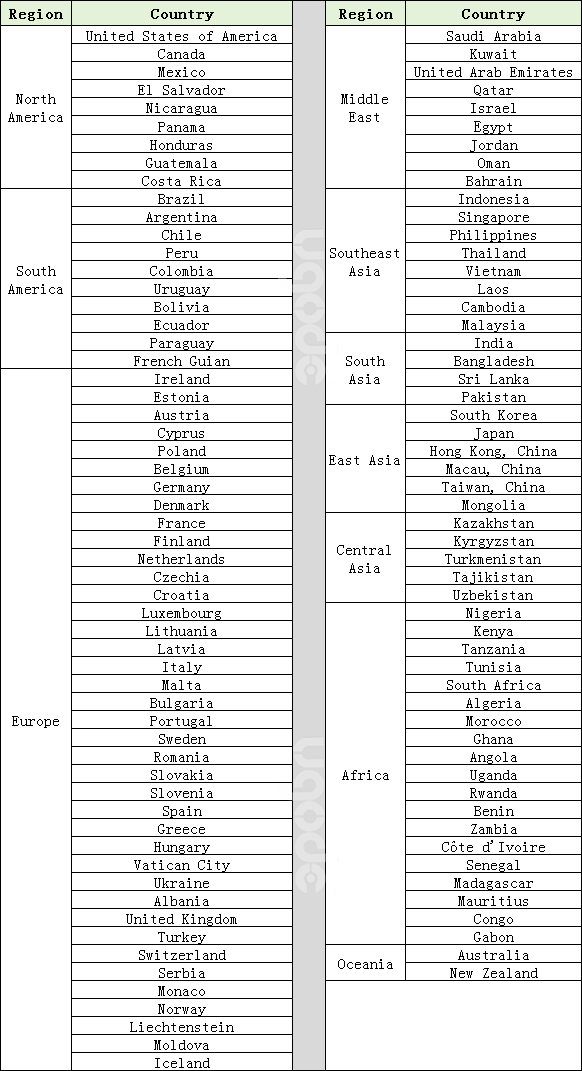
6. Currently, Cloud SIM supports the following countries:
Post time: Aug-18-2025