

Some customers have purchased Mercedes NTG5/NTG6 Android screens from UGODE; these products support wireless CarPlay and Android Auto. After installation, they are unsure how to use the dual Bluetooth feature.
Vehicles equipped with the Mercedes-Benz NTG5 /NTG6 system do not have an AUX function. Earlier solutions relied on USB-to-AUX audio adapters to transmit audio from the Android screen. However, installing and wiring these adapters is quite cumbersome, and storing them in the glove compartment takes up valuable space. UGODE’s latest Android screen now features dual Bluetooth functionality, allowing audio from the Android system to be transmitted via Bluetooth to the original CD head unit, simplifying the installation process.
Note: Only Android screens with the “MPb” designation in the MCU version support Bluetooth transmission functionality.
How to view Android version information.
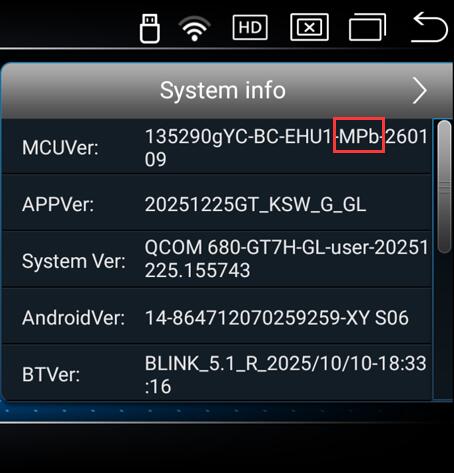
Bluetooth Transmitter Usage Instructions:
1. Enter Android Factory Mode and ensure Bluetooth transmission is enabled.
Route:Settings-Factory(Password: 2018 or 1314)-Function 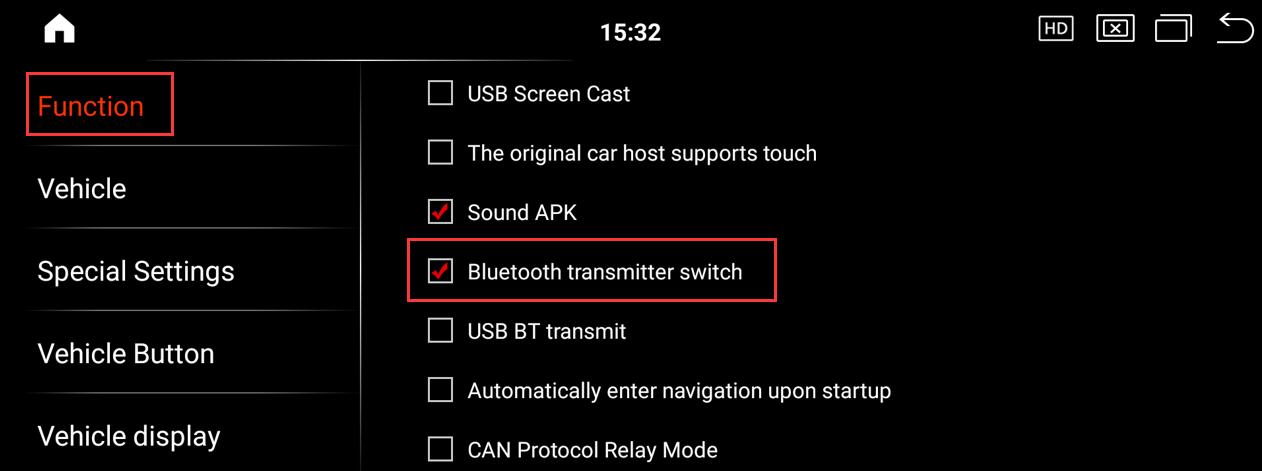
2.Enter the original Bluetooth interface and pair and connect to “QCOM-BTD“. After successful connection, enter the original Bluetooth music interface, then return to the Android system to play music and hear sound.
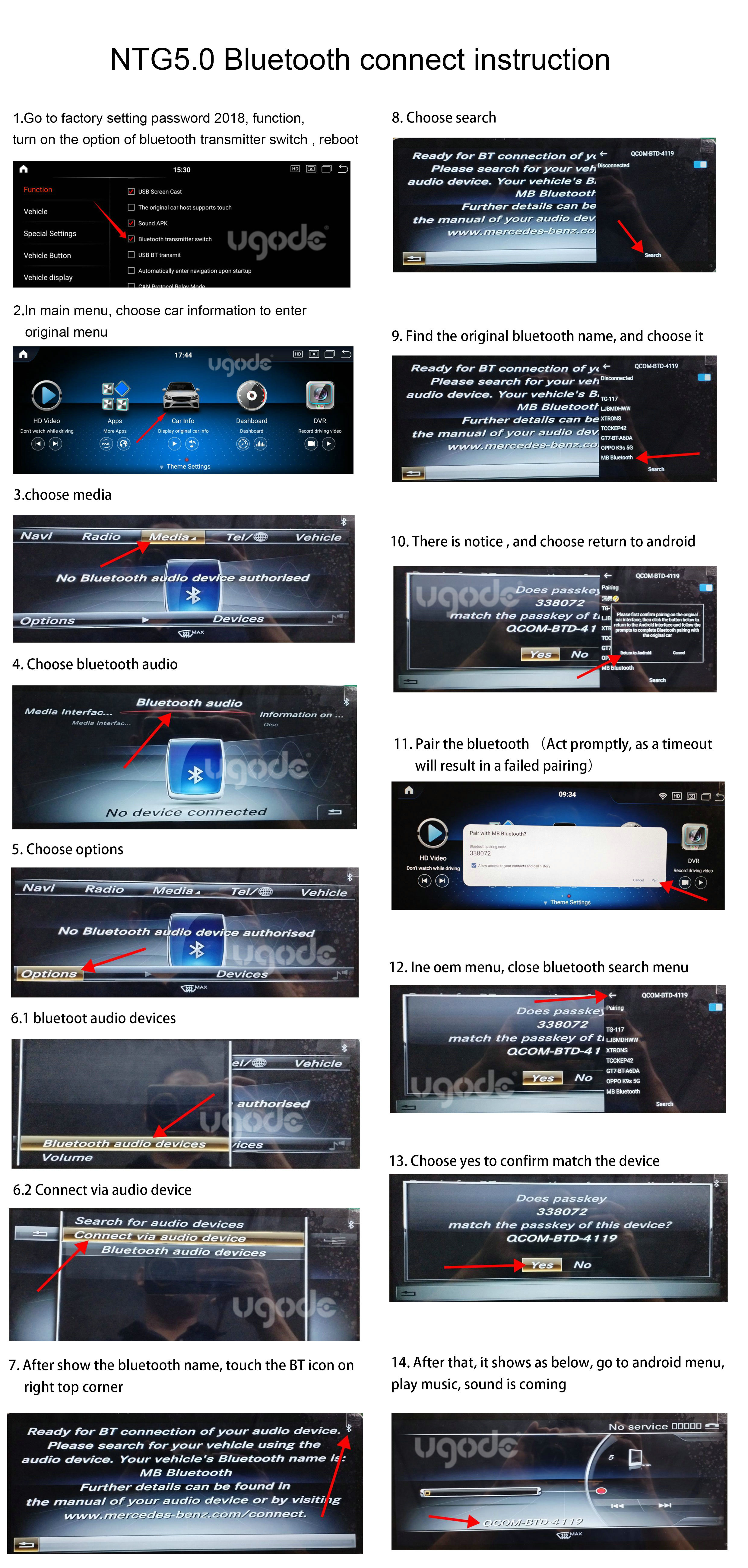
Mercedes-Benz NTG5 dual Bluetooth pairing video, https://youtube.com/shorts/CLnK3TBZvlU
Note: The Mercedes-Benz NTG5/NTG6 factory Bluetooth system supports Bluetooth audio streaming, so audio from Android devices can be transmitted via Bluetooth.
For Mercedes-Benz vehicles equipped with other systems, audio should still be transmitted via the AUX port.
Post time: Jan-27-2026