

Some customers who purchased the UGODE Audi Android display with wireless CarPlay and Android Auto functions are experiencing an issue where the screen fails to switch to the reversing camera mode when reversing.
This problem is typically caused by incorrect settings or a cable connection issue.
1. Please ensure your vehicle is equipped with a rearview camera or has a retrofitted rearview camera.
If it is a retrofitted device, select: Aftermarket Camera.
If the vehicle comes factory-equipped with a rearview camera, select: Original Camera.
If it is a retrofitted 360-degree panoramic camera, select: Android 360.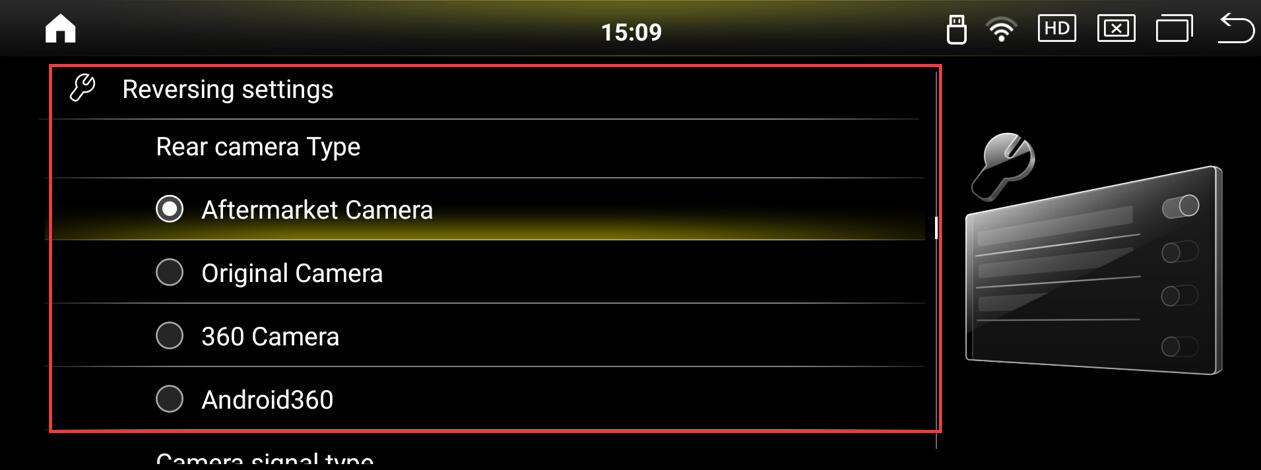
2.Check if the CAN protocol selection in Android factory mode is correct. Click to view details.
3.Enter Android factory mode and try selecting gear types 1/2/3.
Routes:Settings-Factory(Password:2018)-Vehicle-Gear Selection 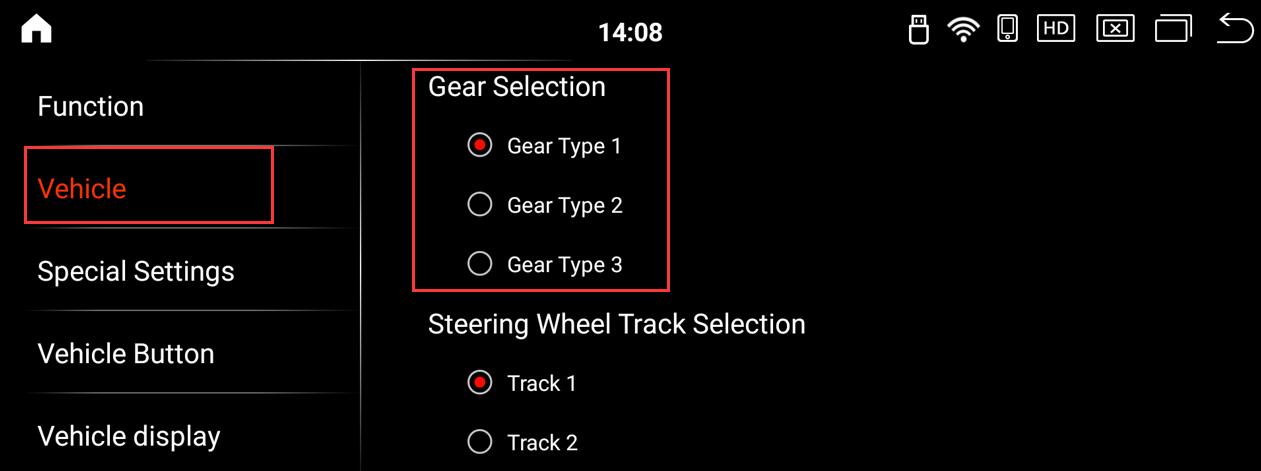
Post time: Dec-12-2025