

Some customers who purchased the UGODE BMW Android screen, which includes wireless CarPlay and Android Auto functionality, found that the reversing camera wouldn’t switch to the reversing view after installation.
This issue is generally caused by installation and settings problems.
1.Please make sure your car is equipped with a reversing camera or a subsequent retrofitted reversing camera.
If it was retrofitted, please select: Aftermarket Camera.
If your car comes with a reversing camera, please select: Original Camera.
If your Android screen has a built-in 360-degree panorama feature, please select: Android 360.
If your car is a manual transmission, please select: 360 Camera.
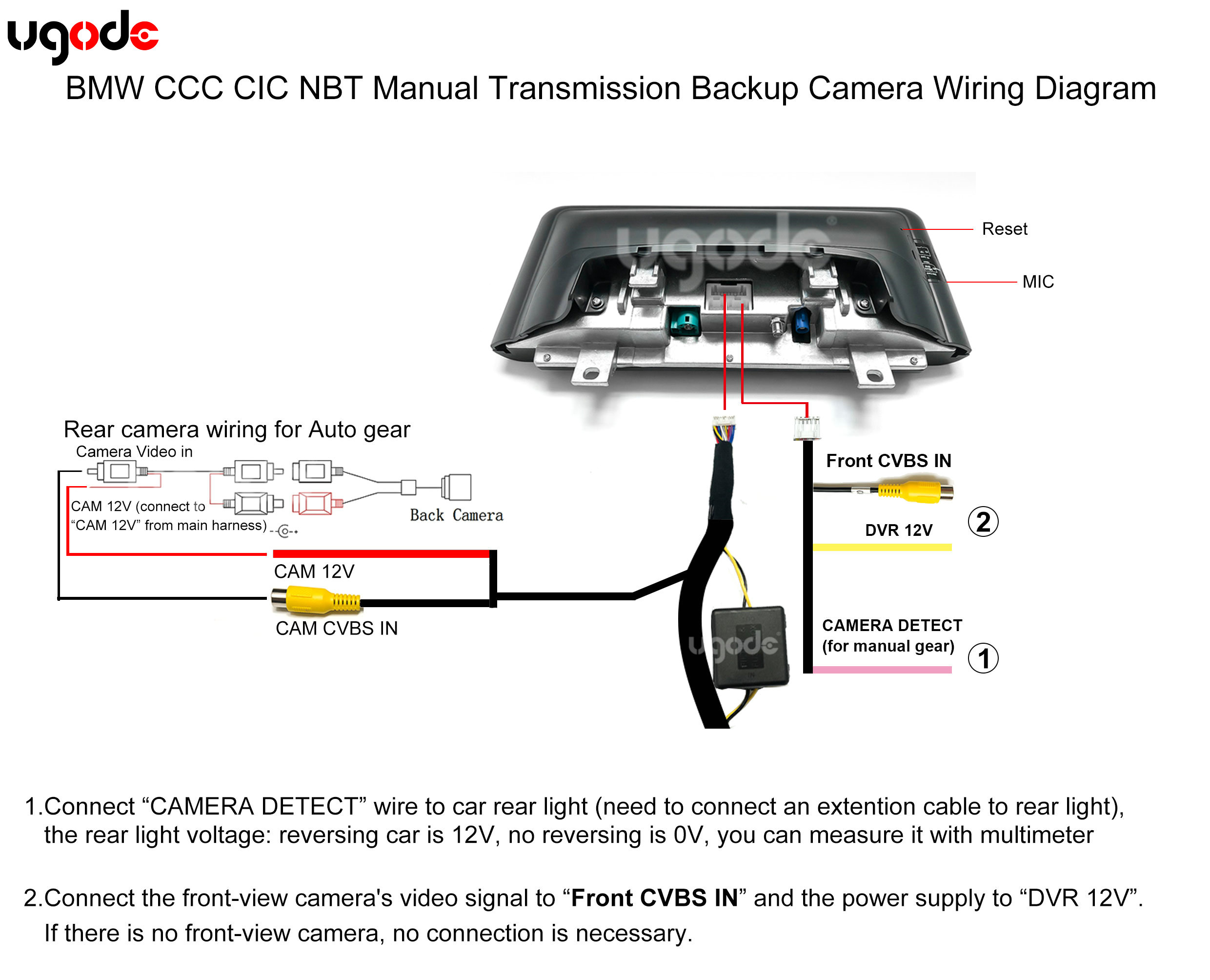
Note: The camera wiring is different for BMW manual transmission vehicles; please see item 4 for details.
Routes:SETTINGS-SYSTEM-Reversing settings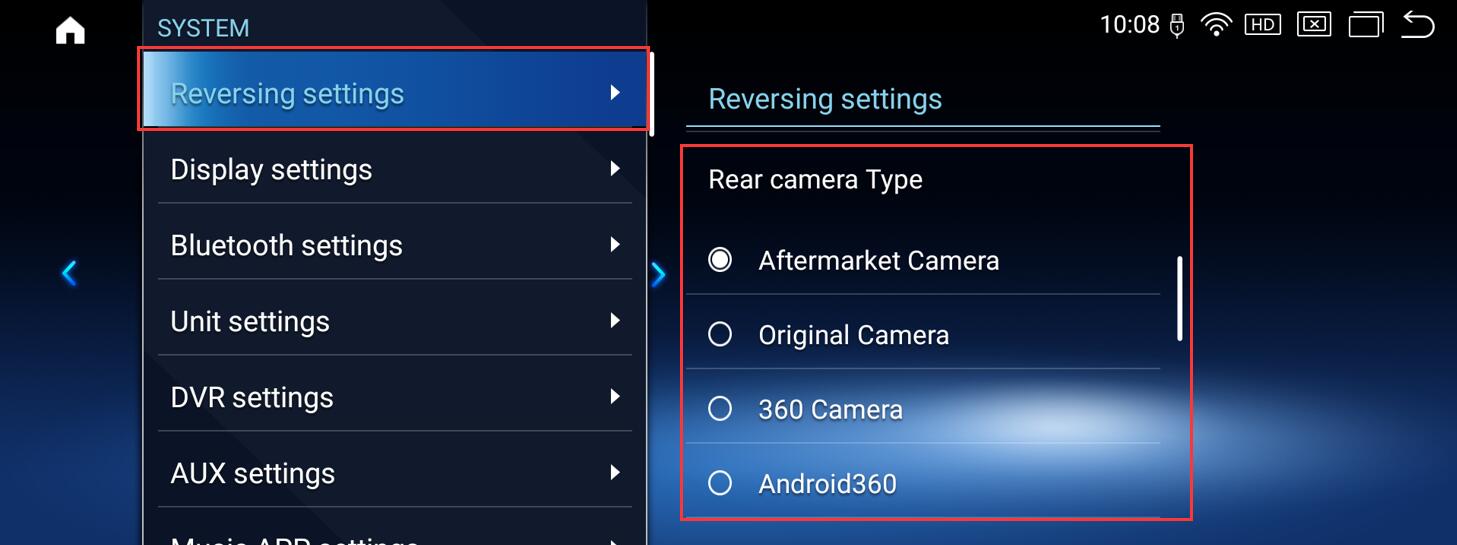
2.Check if the CAN protocol selection in Android factory mode is correct.
For vehicles with CCC system, please select: CCC
For vehicles with CIC system, please select: CIC
For vehicles with NBT system, please select: NBT
For vehicles with EVO system, please select: EVO
Note: There are 4 options for EVO. Please choose according to your actual vehicle model. If you are unsure which one to choose, please try them one by one.
Routes:SETTINGS-FACTORY(Password: 2018 or 1314)-CAN protocol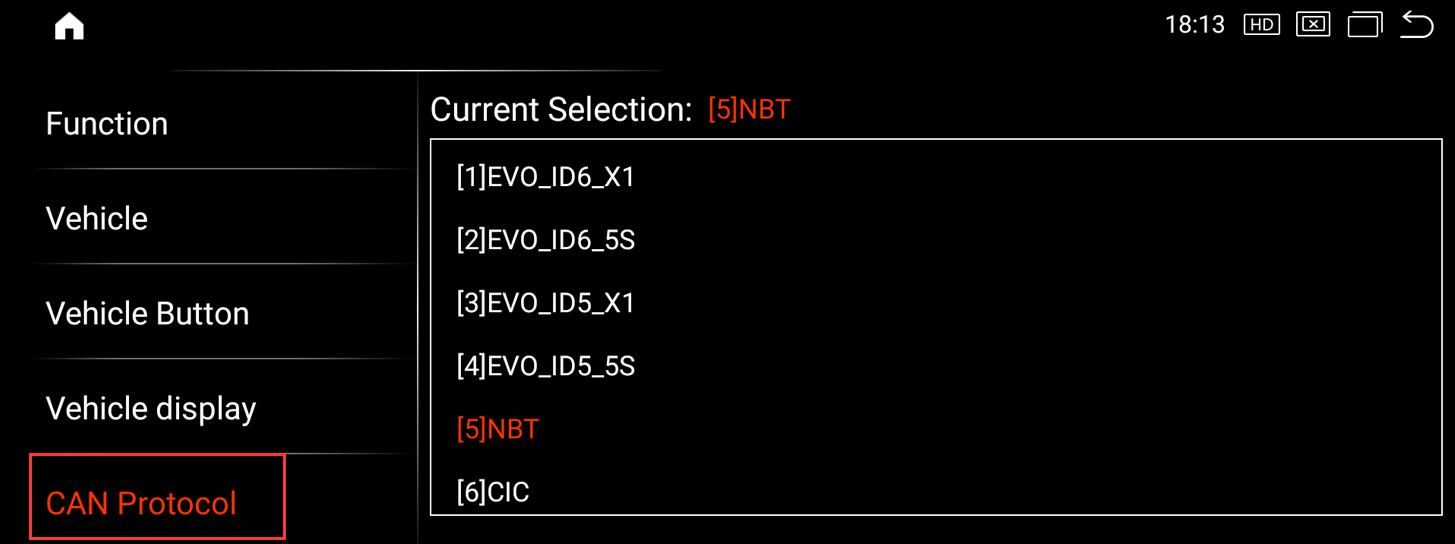
3. If all the above methods have been tried but the problem persists, please check if the fiber optic cable has been switched to a male connector on the Android main cable. Click to view details.
4.Wiring diagram for the rearview camera on manual transmission BMW models.
Post time: Apr-21-2026