

If your car has optic fiber(Ignore if no optic fiber), need to relocate it to android harnes. Click for details.
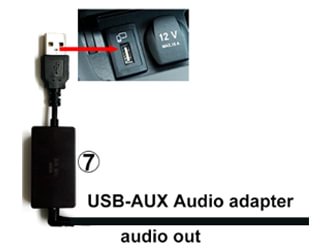
Mercedes-Benz models equipped with the NTG5.0/5.1/5.2 system require a “USB-Aux audio adapter” to output sound; this accessory can be found in the packaging.
Note: Some vehicle models have two USB ports. One port is for charging only and cannot read data, while the other USB port can read data. Be sure to plug into the port that supports data transfer.
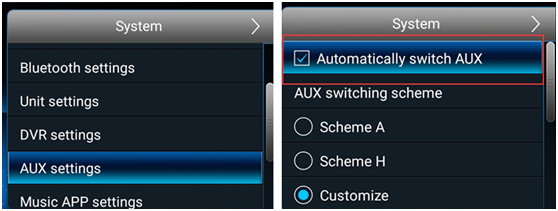
Automatic modes:
setup Routes :
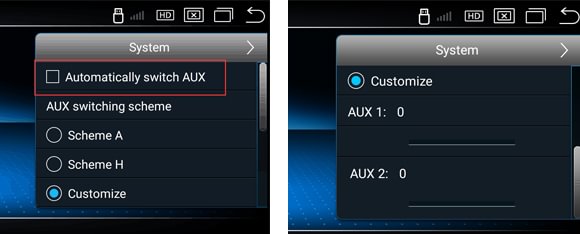
① Setting->System->AUX setting->Check “Automatically switch AUX”
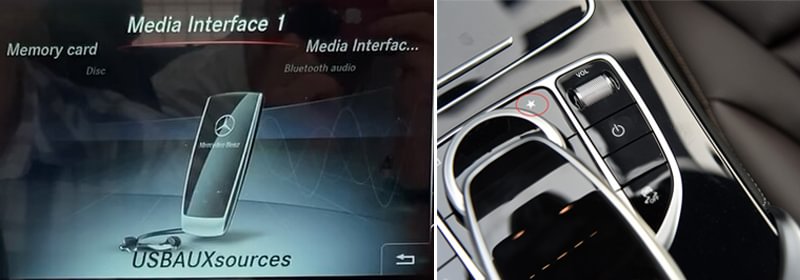
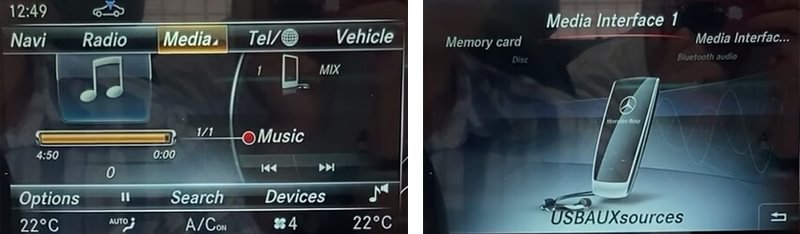
②Go to the NTG media menu, Check if the Media menu has a “USB AUX” icon (if not, check the connection of the “USB-Aux Audio Adapter” Click to view details.);
Long press ”*” button to enter “select slot” menu
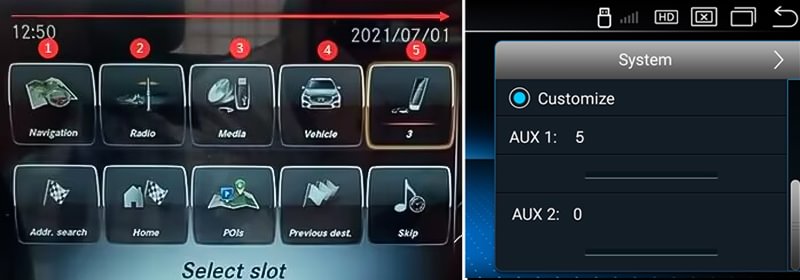
In the example below, the “USB AUX” position is ”5″(you can change position of ‘USB AUX’ as you want, and value will also change), so set “AUX Position 1″ as ”5″ and “AUX Position 2″ as ”0″
(Route: Setting->System->AUX setting)
Manual modes:
setup Routes :
① Setting->System->AUX setting->Uncheck “Automatically switch AUX”, and set AUX Position as ”0″ and ”0″
(Route: Setting->System->AUX setting), then go to NTG menu and Choose “USB AUX”, touch screen to android system, sound out.
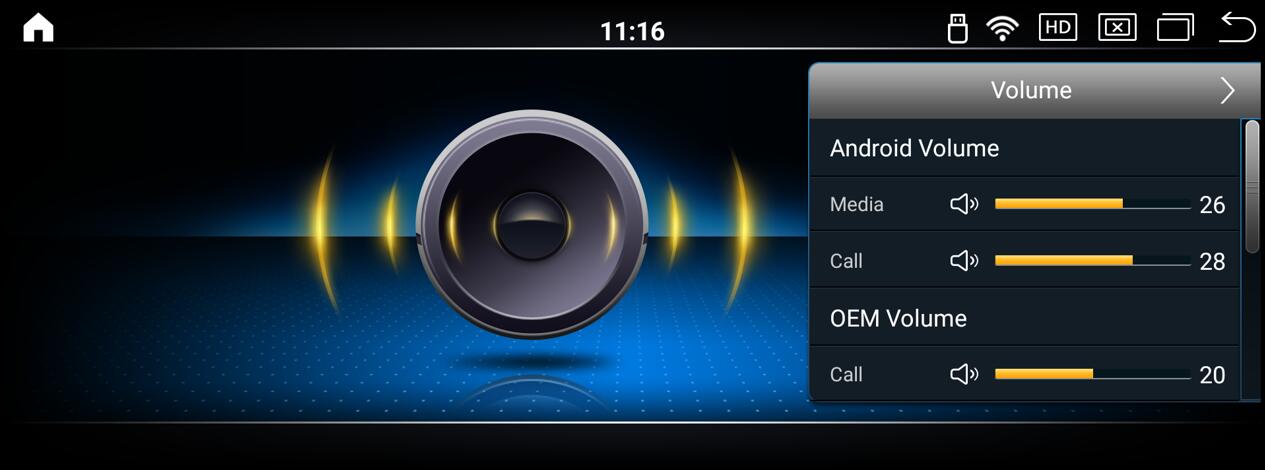
Checking the volume value of the Android system
NOTE:
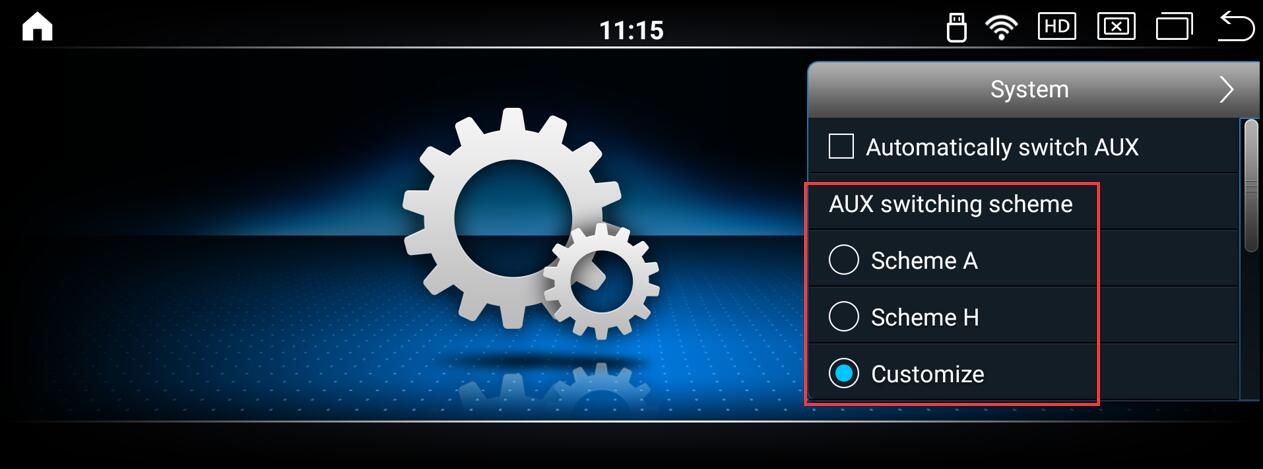
“AUX Switching scheme” is Amplifier selection, “Scheme A” is for ” Alpine “, “Scheme H” is for “Harman “, “Customize” is for other brand, Choose it according to head unit brand
Post time: Dec-02-2025