

Some customers who purchased the UGODE BMW Android screen, which includes wireless CarPlay and Android ATUO functionality, found that there was no sound after installation.
The lack of sound on the Android screen is generally caused by installation and settings issues.
1. Check if the original CD player is working properly. Press the “FM/AM” button on the original CD player to see if you can hear the radio.
If there’s no sound from the radio either, the fiber optic cable might not be properly connected to the male connector on the Android cable. You’ll need to switch the fiber optic cable. Click for details.
2. Some BMW cars require connection to the AUX port to output sound
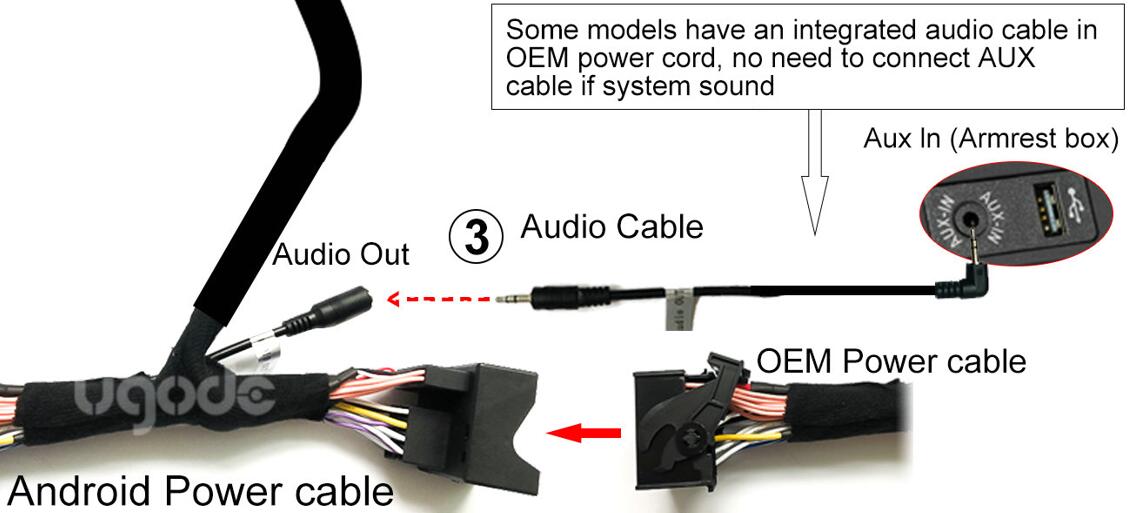
Aux has two switching modes, manual and automatic.
Some models not support Automatically switch AUX and need to be set to manual mode.
Demo Video:https://youtu.be/QDZnkZIsqIg
How to setup check below:
Automatic modes( different Android versions, different setup Routes):
setup Routes 1:
Settings-System-AUX setting-Check “Automatically switch AUX” 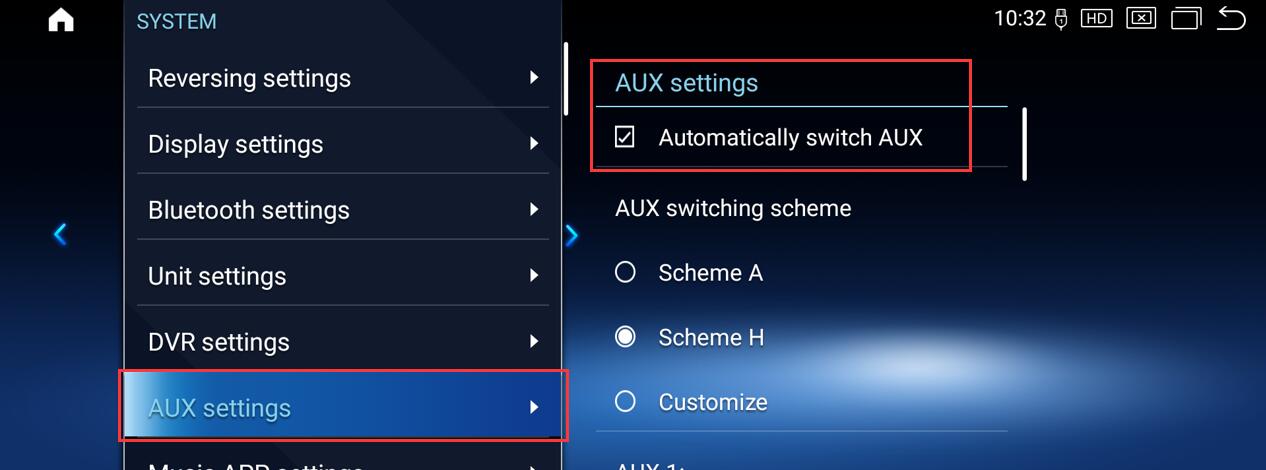
setup Routes 2:
Setting-Factory(code”2018″)-Vehicle-AUX Switching modes-select Automatic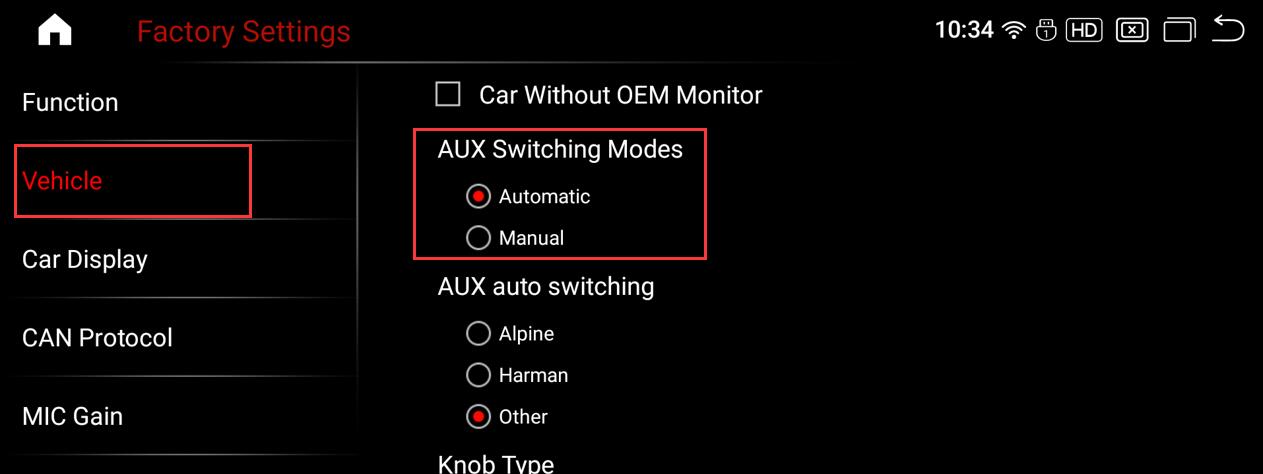
Manual modes( different Android versions, different setup Routes):
If the AUX auto switching mode does not work, you can set it to manual mode
setup Routes 1:
Go to System->AUX setting->UnCheck “Automatically switch AUX”, then go to OEM radio and Choose “Audio-AUX”, touch screen to android, sound out.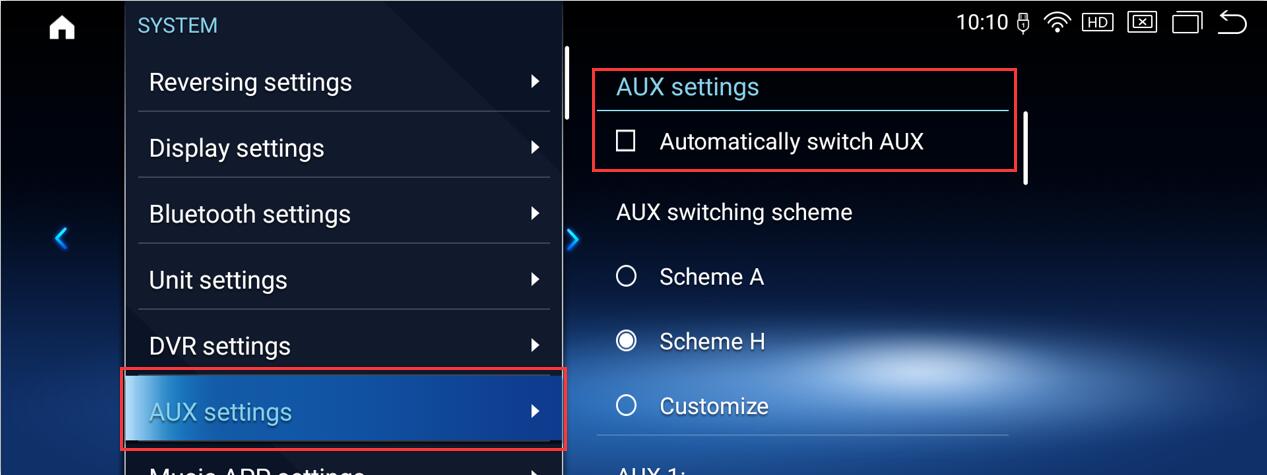
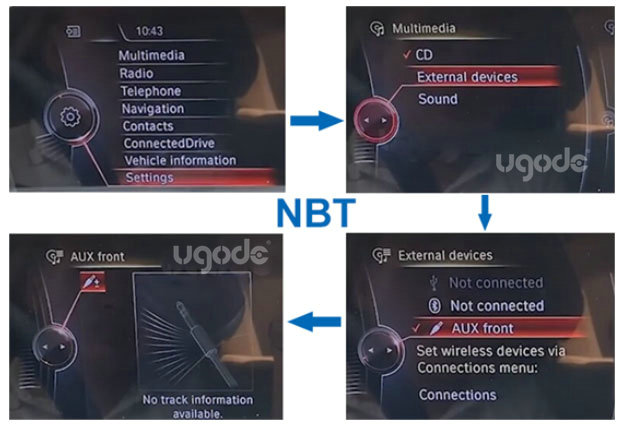
For car without oem screen models, choose “AUX” on CD panel
setup Routes 2:
Go to Factory setting->code”2018″->Vehicle->AUX Switching modes->choose “Manual” ,then go to OEM radio and choose “Audio-AUX” , touch screen to android, sound out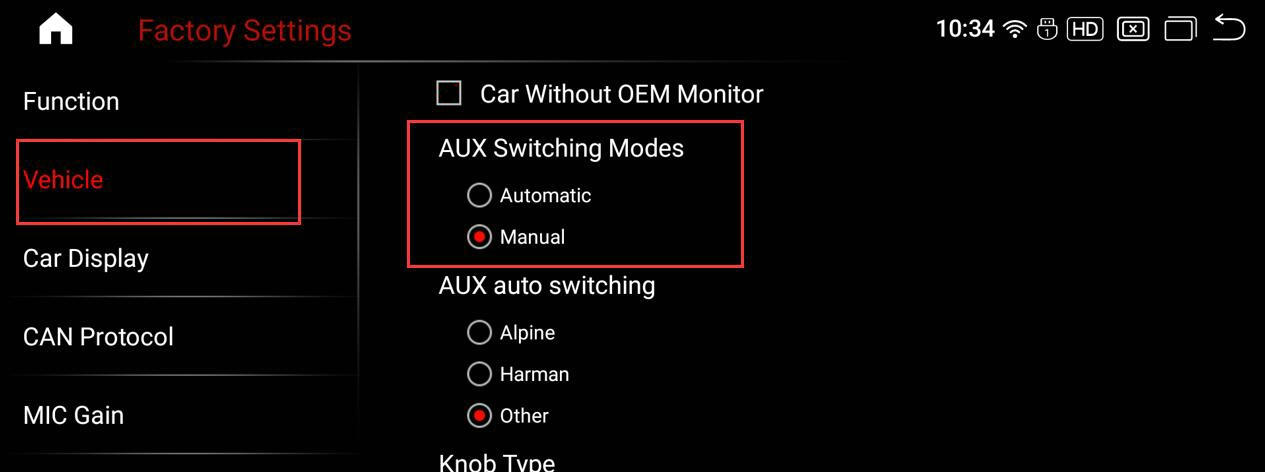
Checking the volume value of the Android system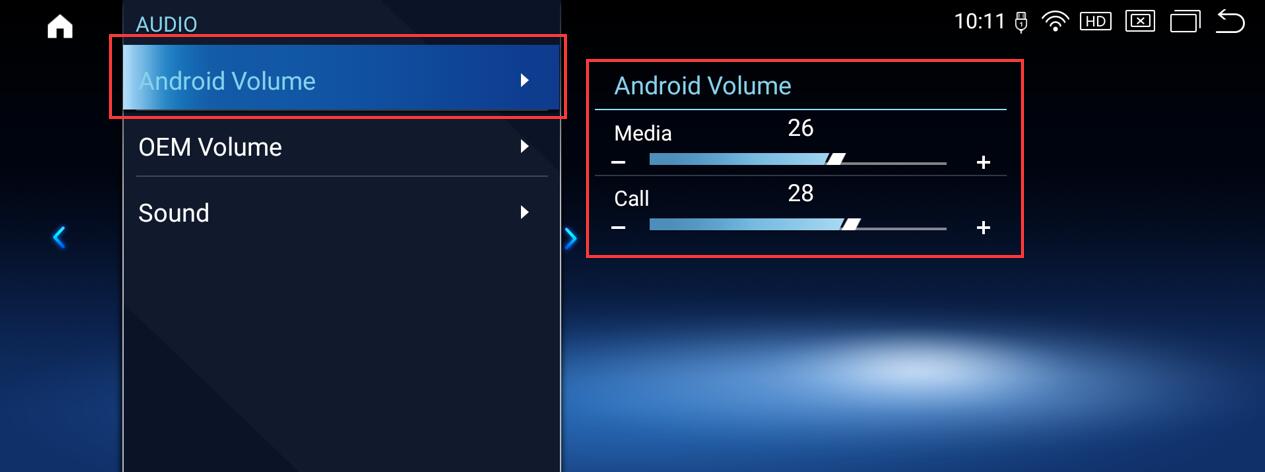
Note:
1.Some models not support Automatically switch AUX and need to be set to manual mode.
2. “AUX Switching scheme” is Amplifier selection, “Scheme A” is for ” Alpine “, “Scheme H” is for “Harman “, “Customize” is for other brand, Choose it according to head unit brand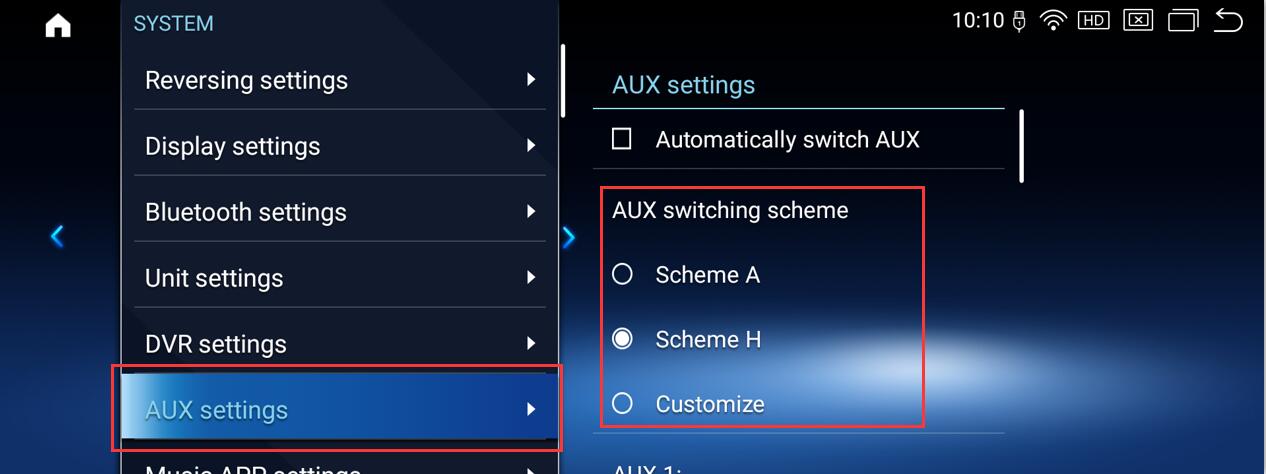
3.Whether in manual or automatic mode, keep values of AUX 1 and AUX 2 at “0″
4.Some cars with CIC system come with AUX function, but you can’t adjust the volume in AUX status, you need to activate it at the tuning store, or contact us to activate it remotely as well.
Post time: Dec-20-2025