

Some customers who purchased the UGODE Mercedes Android screen, which includes wireless CarPlay and Android Auto functionality, found that the original interface displayed “No Signal” after installation.
Note: Mercedes-Benz models feature different systems for each model year. Each system requires a specific Android screen for installation; otherwise, a “No Signal” error may occur.
How to identify Mercedes-Benz systems. Click to view details.
Please do the following checks:
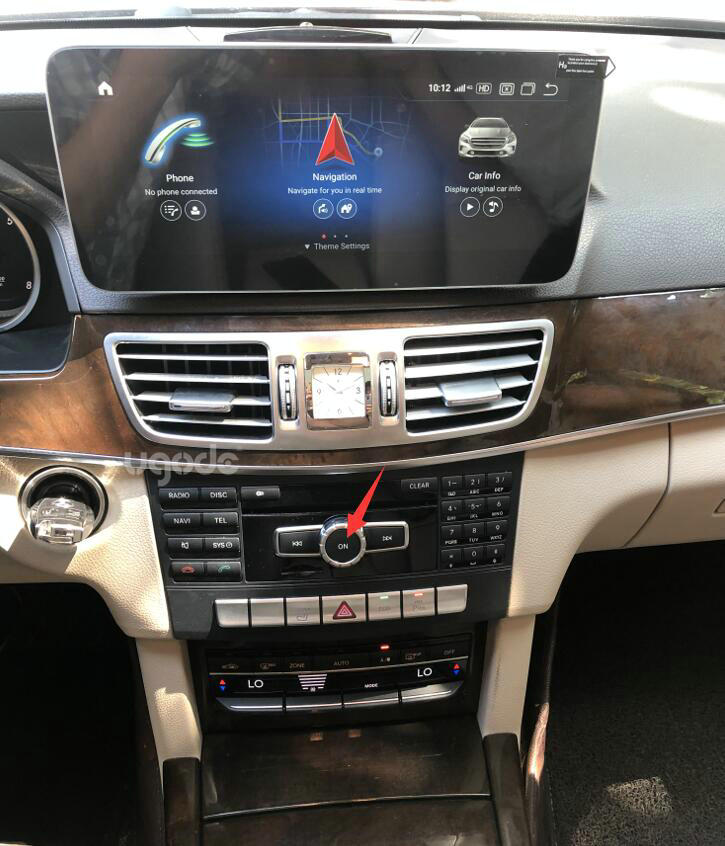
1. First of all, to ensure that the original car CD host can work properly, test the original host can work properly method: press the CD host on the “RADIO” or “DISC” button, if you can hear the sound on the original host can work properly. If there is no sound, check to see if you have pressed the “POWER” button to shut down or if the line behind the CD host is not plugged in properly.

Note: If your vehicle is equipped with fiber optic cable, you need to switch it to the male connector of the Android cable (ignore this step if you do not have fiber optic cable). Click for details
2.Mercedes-Benz NTG4.0 System:
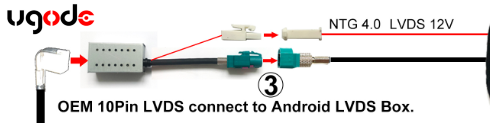
The stock LVDS cable for the Mercedes NTG4.0 system is a 10 PIN that is unplugged from the stock screen end to connect to the LVDS converter box that we provide, and then connects through the LVDS converter box to the Android screen’s LVDS (4 pin).
BTW: There is also a power cable (NTG4.0 LVDS 12V) on the LVDS converter box which connects to “NTG4.0 LVDS 12V” on the RCA cable.
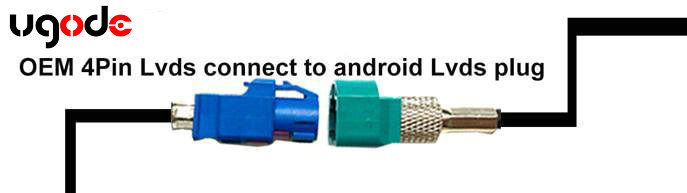
3.Mercedes-Benz NTG4.5/4.7/5.0/5.1/5.2 System:
The original LVDS cable for the Mercedes NTG4.5/4.7/5.0/5.1/5.2 system is a 4PIN male cable (blue header) that is unplugged from the stock screen end and mated to the female LVDS cable we provide.
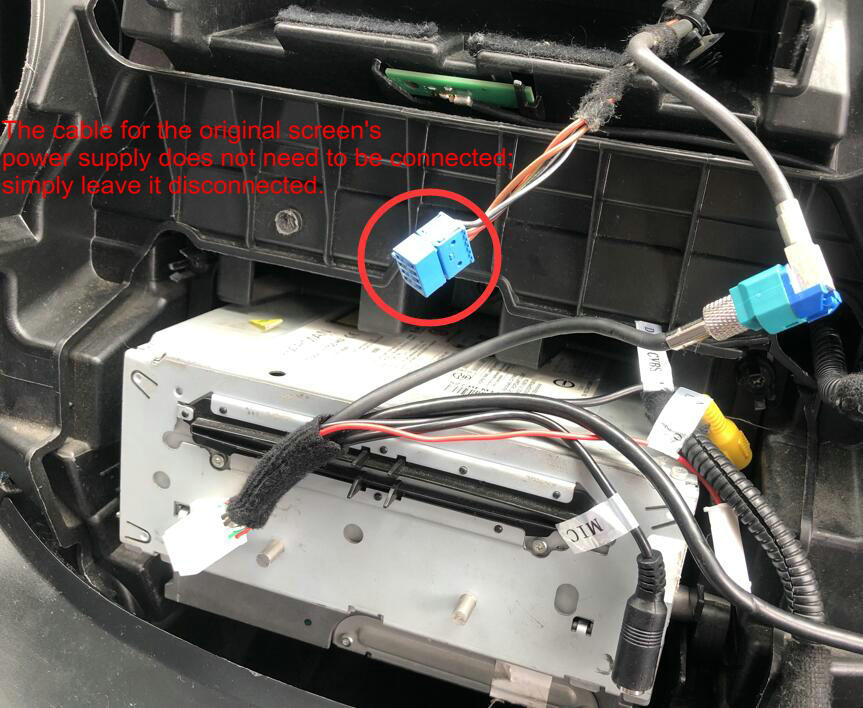
Note: The power supply cable of the original screen doesn’t need to be connected, leave it empty and don’t care about it.
Post time: Dec-01-2025