

Some customers who purchased the UGODE Land Rover Android screen, which includes wireless CarPlay and Android Auto functionality, found that the original interface was not fully displayed after installation.
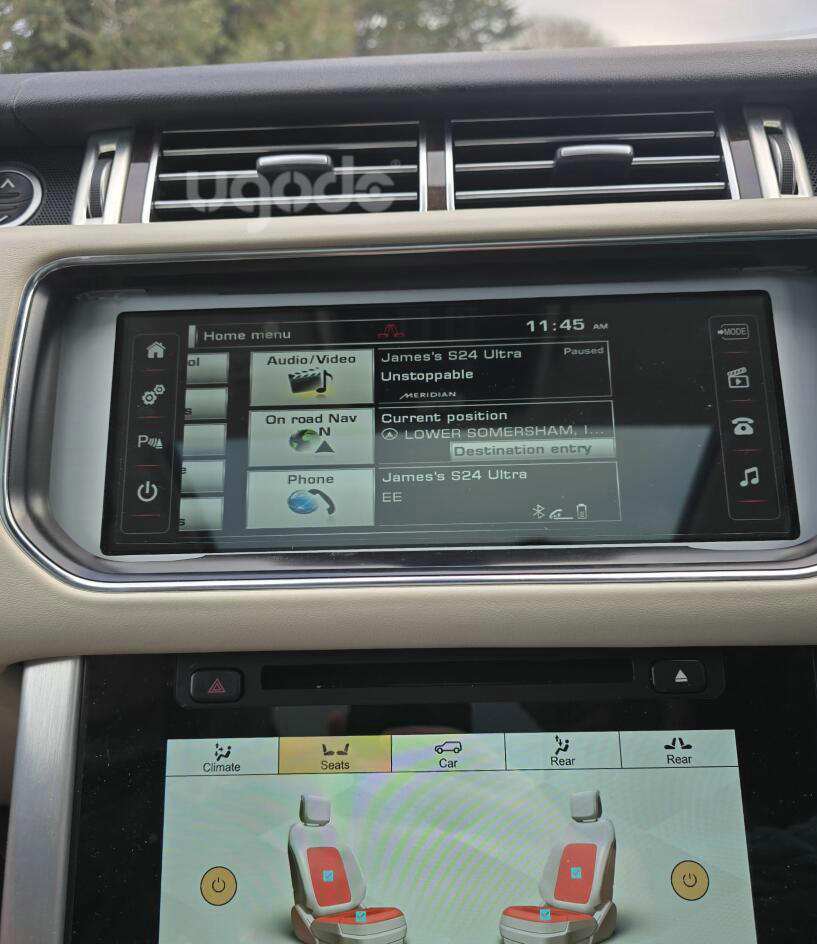
You need to go into the Android vehicle settings and select screen parameters.
Route:Vehicle settings-Screen resolution selection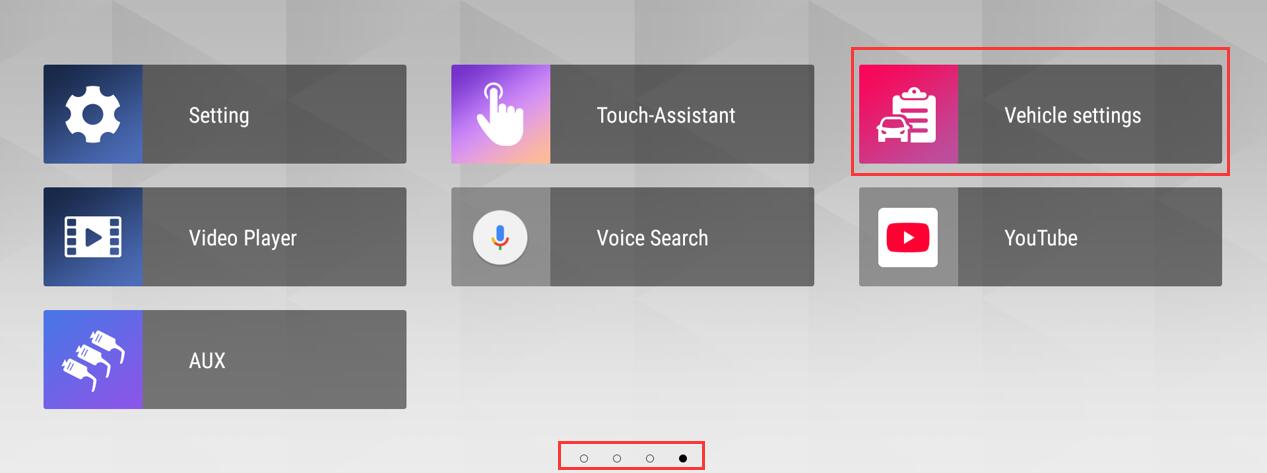
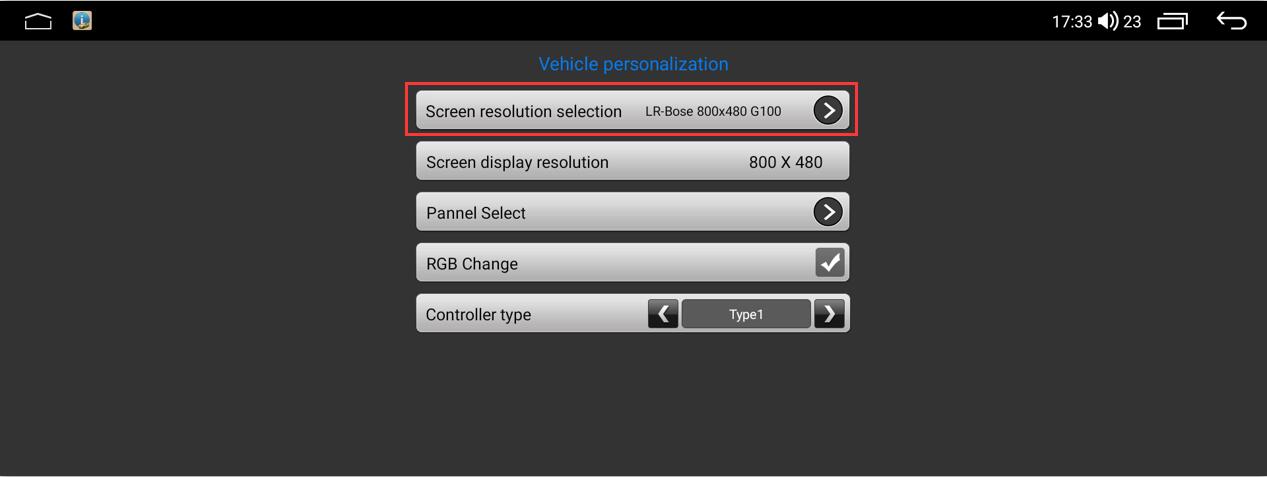
Choose the appropriate option based on the original screen resolution. If you don’t know the original screen resolution, try each option until the original interface displays correctly.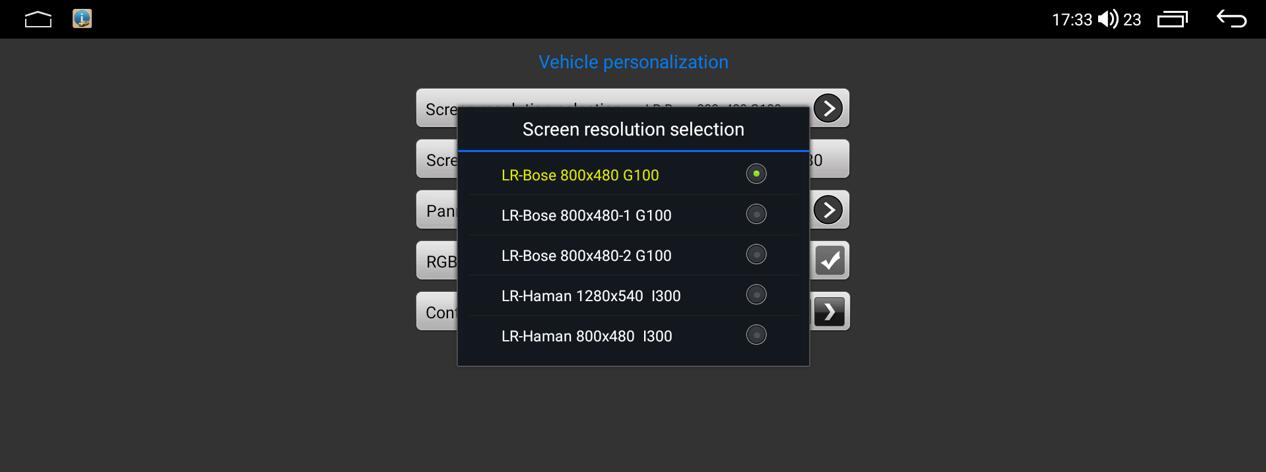
After selecting the correct parameters, swipe down from the top of the Android screen and tap the power button to restart the screen.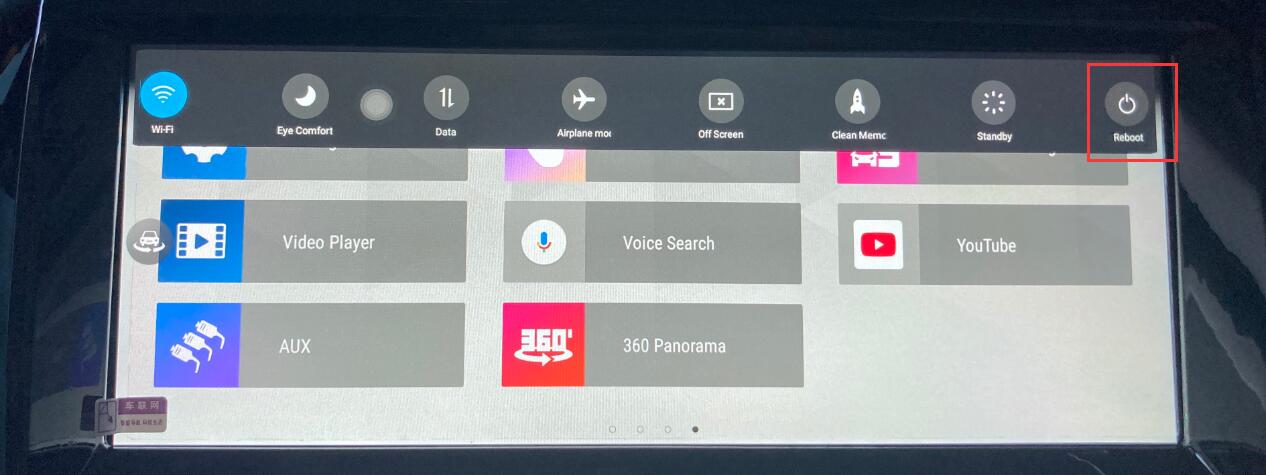
Post time: Dec-27-2025