

Some customers purchased UGODE Android Audi screen with wireless CARPLAY and Android AUTO functions. After installation, they found that there was no sound in the Android state. The problem of no sound requires the following checks.
1.You need to select “AUX” in the original Media menu, then return to the Android interface to hear sound.
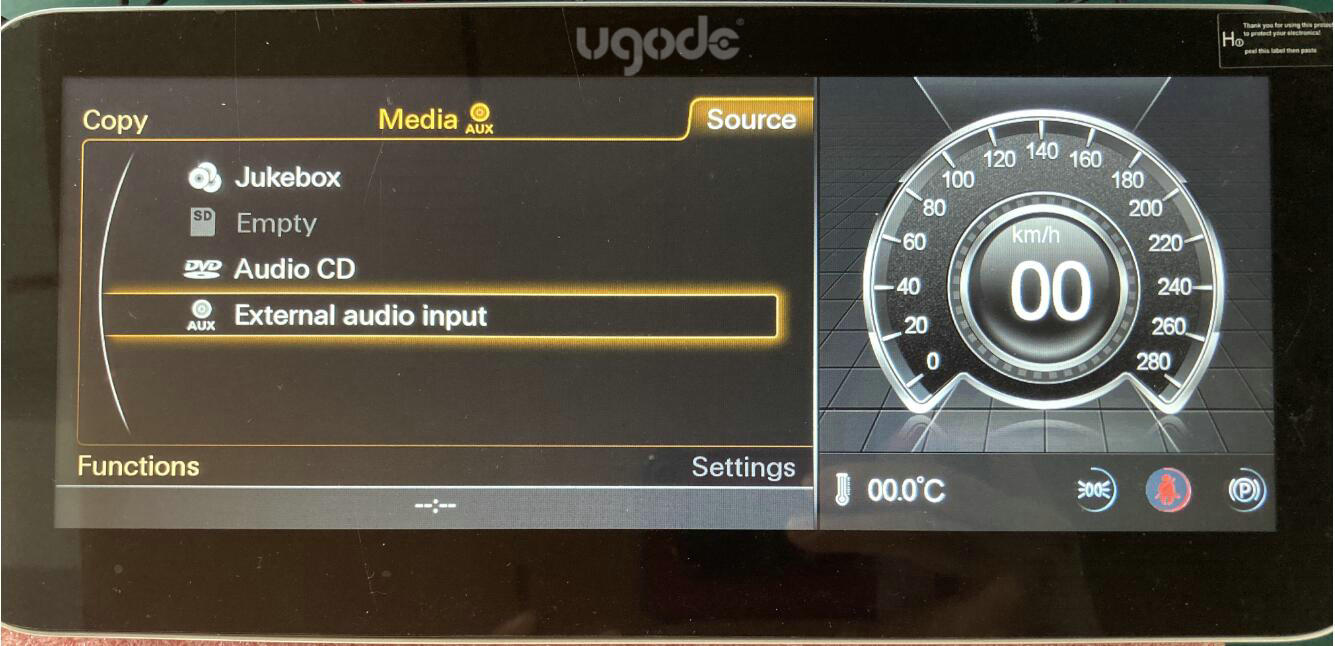
2.After installing the Android screen, if the “AUX” option in the original Media state is grayed out and cannot be selected, you need to connect the AMI cable.
After connecting the AMI cable, select “AUX” again. Then return to the Android device to play music and check for sound. If sound is present, there is no need to connect the “AUDIO OUT” wire from the Android cable to the AMI cable. If no sound is present, connect the “AUDIO OUT” wire to either the original AUX port or the “AMI” cable.
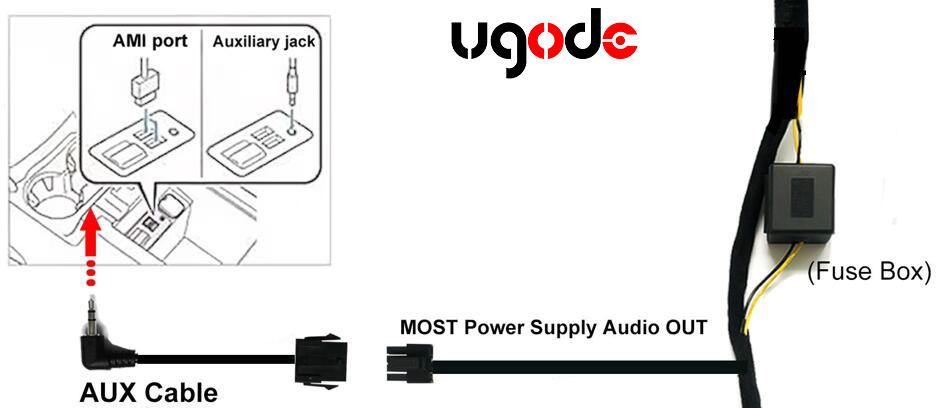
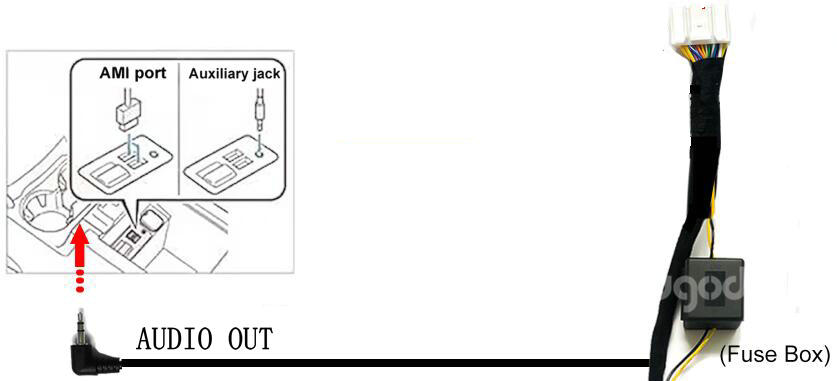
The original AMI port is usually in the co-pilot storage box, and some are in the co-pilot box, so you need to find it.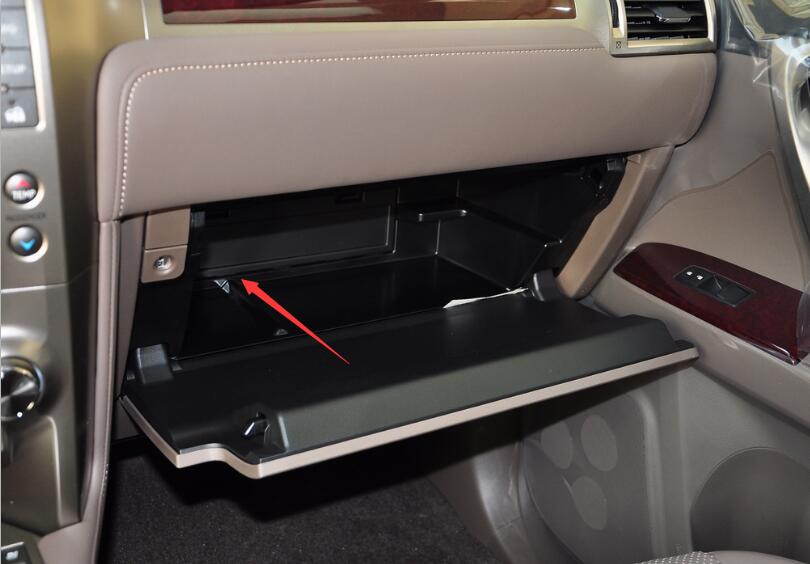
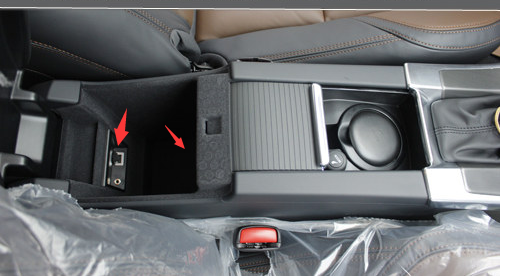
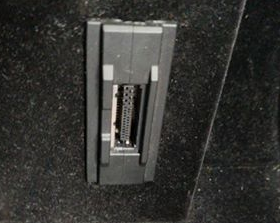
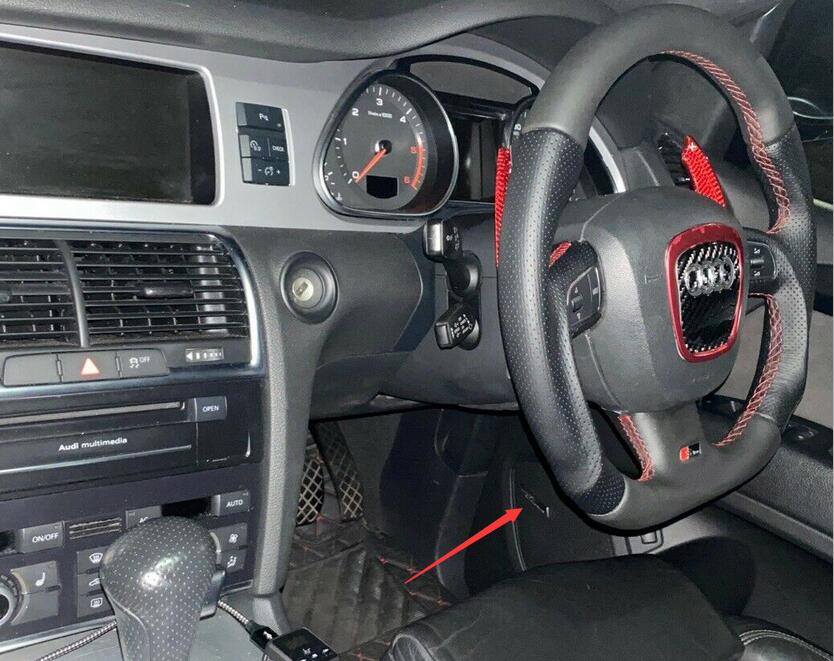
If the above methods do not solve the sound problem, please unplug all Android cables and reinstall them.
3. For 2005-2009 Audi A6 and 2006-2009 Audi Q7 models that don’t have AUX, even connecting an AMI cable won’t work. You’ll need to visit a local tuning shop to activate the AUX function or install a fiber optic box to resolve the audio issue.
4. Most 2010-2011 Audi A6 and 2010-2015 Audi Q7 models have AUX, and connecting an AMI cable will detect the AUX function. However, a very small number of models lack AUX. For these models, you can also visit a local tuning shop to activate the AUX function or install a fiber optic box to resolve the audio issue.
Wiring diagram for the fiber optic box of the old Audi A6/Q7. Click to view details.
Post time: Oct-27-2025