

Some customers purchased the UGODE 14.9-inch BMW CCC/CIC/NBT Android screen with wireless CARPLAY and Android Auto functionality. After installation, they discovered that there is no sound in Android mode.
First, ensure that the original CD player is functioning properly.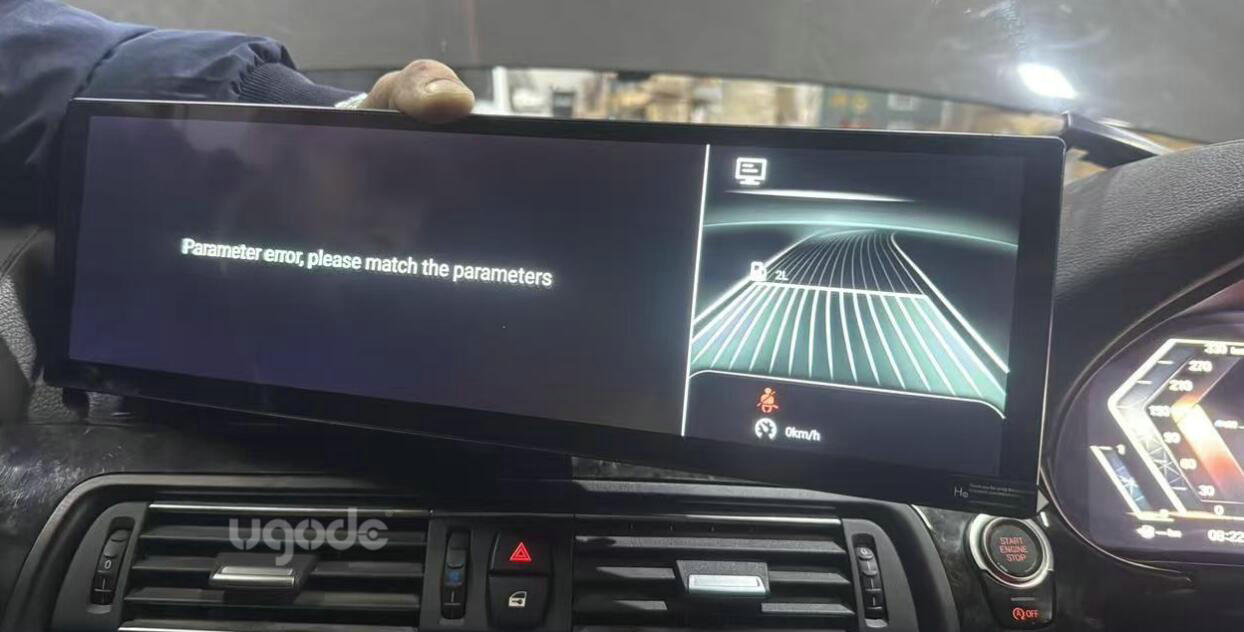
If the original interface is not displayed, you need to enter Android factory mode to select the correct screen parameters.
Route:SETTINGS-FACTORY(Password: 2018 or 1314)-Vehicle display
For CIC and NBT models, simply click “Adaptive resolution” to automatically detect screen parameters.
CCC models require manually selecting options 4/5/6/7 one by one until the display appears normal.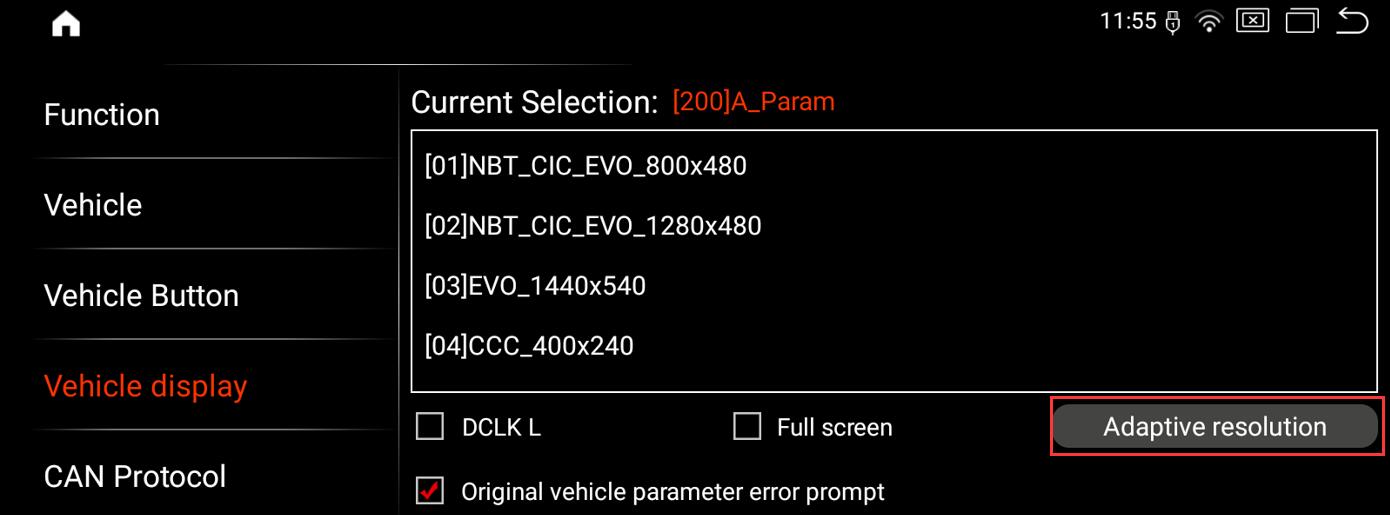
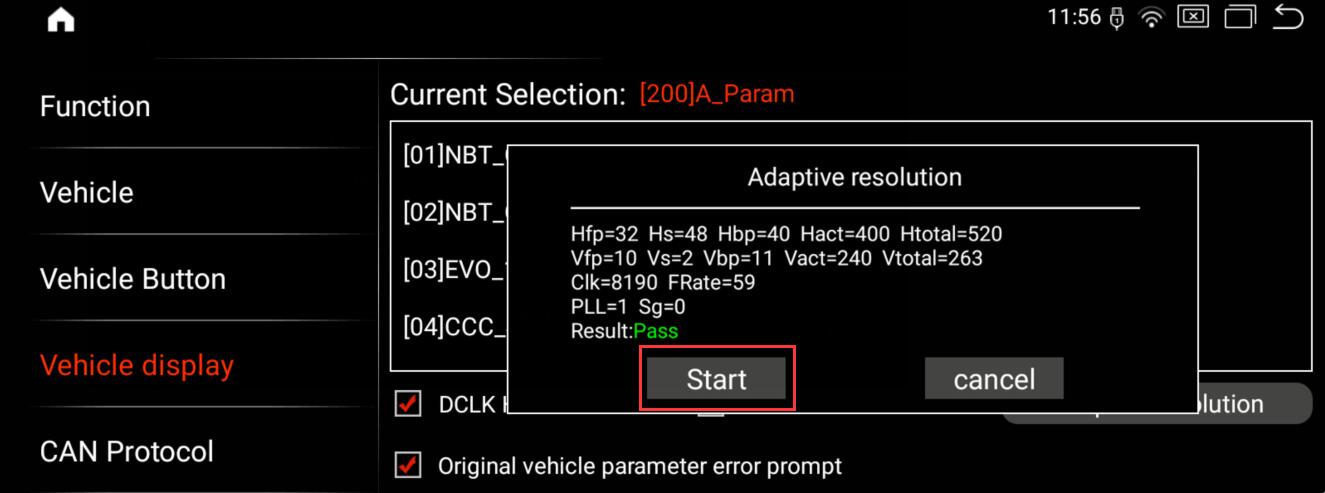
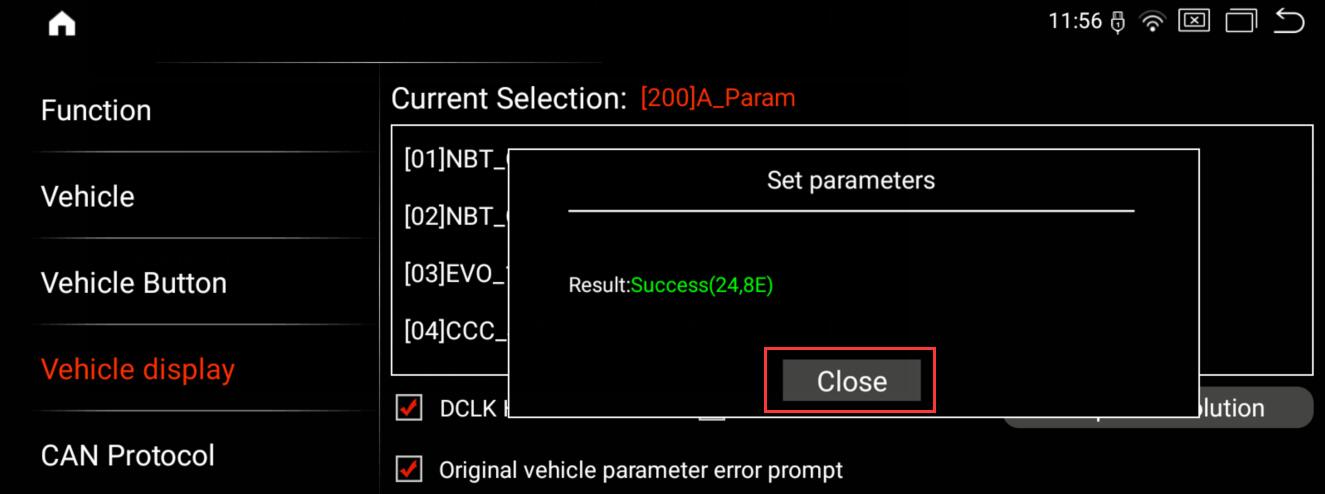
For BMW vehicles equipped with CCC/CIC/NBT systems, audio is transmitted through the “AUX” channel. First, ensure the original CD player is functioning properly. Then, select “AUX” mode before returning to the Android interface to play music—this will enable sound output. 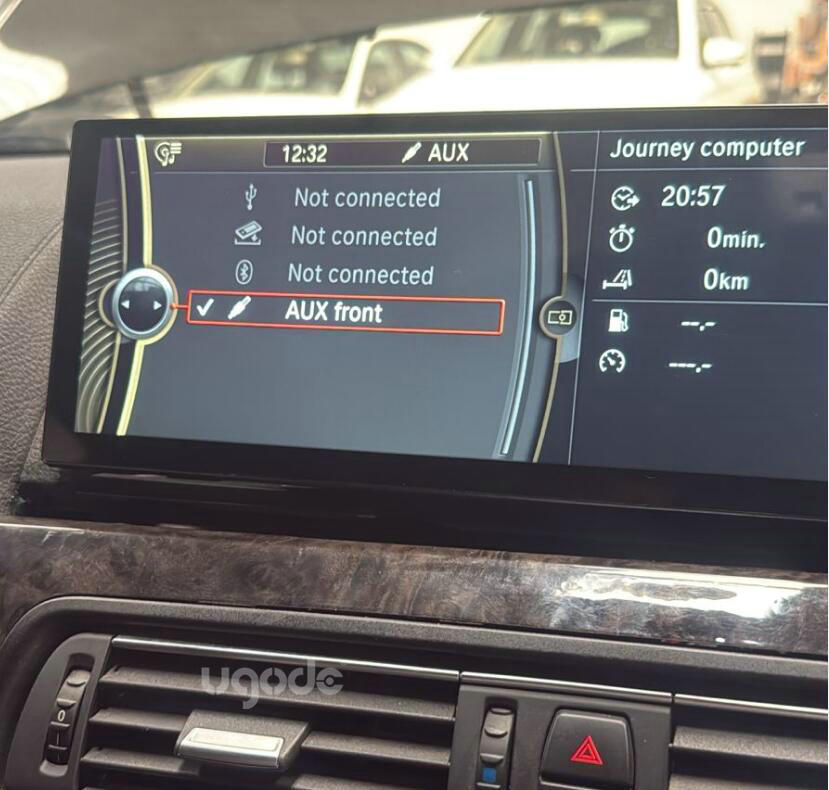
Note: The audio for BMW CCC/CIC/NBT Android screens is transmitted exclusively through the AUX channel; no other methods are available.
Post time: Jan-26-2026